

 Reply With Quote
to see where apache is listening, do a :
lsof | grep IPv4
Then make sure you are typing http://192.168.1.x/ not http://localhost/
Have you changed the apache configuration? You don't need to edit /etc/host.* to get apache to work


Hi,
I did an HD-install of 3.2 and edited hosts.allow /.deny, but I still get a "connection refused" when trying to connect to apache locally.
(Yes, I did start apache and it is listening to 192.168.x.x)
Any aid?
to see where apache is listening, do a :
lsof | grep IPv4
Then make sure you are typing http://192.168.1.x/ not http://localhost/
Have you changed the apache configuration? You don't need to edit /etc/host.* to get apache to work
Okay, got it, apache was listening on port 192 so I misunderstood the LISTEN line in httpd.conf, thanks
 Posting Permissions


Dell ST6000NM0034 1HT27Z-150 NWCCG 6TB SAS 3.5 7.2K ENTERPRISE SERVER DRIVE
$68.99

Western Digital HUS726T4TAL5204 4TB 7.2K SAS 12Gb/s 3.5" 512e HDD NetApp X375A
$64.00

Seagate ST8000NM0075 Enterprise Capacity 3.5 HDD 8TB SAS Hard Drive 8TB EXOS
$184.99

Western Digital Blue (7200RPM, 3.5", SATA III, 64MB Cache) 1TB HDD
$19.90

HGST HUS724040ALA640 4TB 7200 RPM SATA 3.5" Internal Desktop Drive 100% Health
$78.00
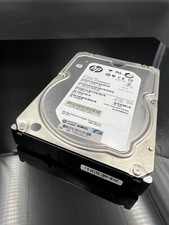
ST2000NM0023 SEAGATE 2TB 7200 RPM 6G DP SAS MDL 3.5“ HARD DRIVE
$14.90

Western Digital 1TB 3.5" SATA III 7200RPM Desktop Hard Drive
$34.99

Toshiba 14TB MG07 MG07ACA14TEY 7.2K RPM SATA 6Gb/s 512e 3.5" Enterprise HDD
$343.98

DELL 2TB Enterprise HDD (7200RPM, 3.5", SATA III, 128MB Cache) HUS722T2TALA600
$49.95

HDD 3.5" SATA Hard Drive with Windows 10/Win 11 64x Installed Legacy
$35.00