

 Reply With Quote
Add the module name to the bottom of the file /etc/modules and it will be loaded on boot you should either comment out or remove the old driver which more than likely will be in the file as well.Originally Posted by bobterri


I have been using MDK 9.1 for a while and just installed knoppix 3.3. The default sound driver did not work and I had no sound. I rmmod the old driver and then installed the alsa driver by modprobe snd-via82xx I now have sound, but when I reboot, the system reverts back to the default driver. How can I make the driver change permanent? I ran "update-modules" but that didn't do the trick.
Add the module name to the bottom of the file /etc/modules and it will be loaded on boot you should either comment out or remove the old driver which more than likely will be in the file as well.
Thanks Stephen,
That's exactly what I needed.
 Posting Permissions

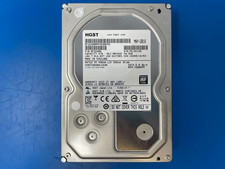
HGST 4TB 7200RPM 3.5" SATA 6Gb/s Internal HDD | HDN724040ALE640 0F22408
$75.00

Seagate Exos X14 10TB 7200RPM 3.5" SAS 12Gb/s Hard Drive HDD ST10000NM0528
$165.00

Seagate 14TB Exos X14 7200RPM SATA 6Gb/s 256MB 3.5" Enterprise HDD ST14000NM0408
$354.99

Seagate Exos X16 ST10000NM010G 10TB 7200RPM SAS 12Gb/s 3.5" 512e/4Kn HDD
$199.00

Seagate ST6000NM0115 6TB 256MB 7200RPM 3.5" SATA 6.0Gb/s Enterprise Hard Drive
$159.99

HGST HUS724040ALA640 4TB 7200 RPM SATA 3.5" Internal Desktop Drive 100% Health
$78.00

Western Digital HUS726T4TAL5204 4TB 7.2K SAS 12Gb/s 3.5" 512e HDD NetApp X375A
$69.00
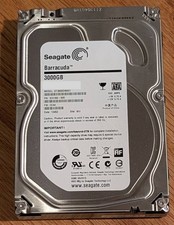
Seagate Barracuda 3TB 3.5" HDD 7200RPM 64MB SATA 6Gb/s ST3000DM001 Tested
$49.99
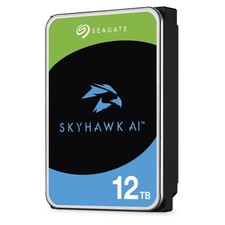
Used Seagate SkyHawk AI 12TB 3.5" SATA 7200RPM ST12000VE001
$269.00
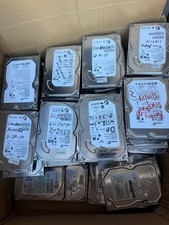
Lot 10 Mix Major Brands 500GB 3.5" HDD Internal Hard Drive - Tested Working
$97.00