

 Reply With Quote
Add the module name to the bottom of the file /etc/modules and it will be loaded on boot you should either comment out or remove the old driver which more than likely will be in the file as well.Originally Posted by bobterri


I have been using MDK 9.1 for a while and just installed knoppix 3.3. The default sound driver did not work and I had no sound. I rmmod the old driver and then installed the alsa driver by modprobe snd-via82xx I now have sound, but when I reboot, the system reverts back to the default driver. How can I make the driver change permanent? I ran "update-modules" but that didn't do the trick.
Add the module name to the bottom of the file /etc/modules and it will be loaded on boot you should either comment out or remove the old driver which more than likely will be in the file as well.
Thanks Stephen,
That's exactly what I needed.
 Posting Permissions

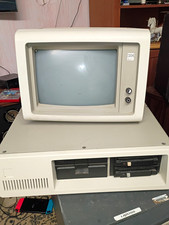
IBM 4455 Vintage Mainframe Computer System w/ CRT Terminal and Drives
$195.00

Vintage Telex 952003-112 Mechanical Terminal Keyboard IBM 3270 Mainframe DB25
$699.99

Vintage Intel Mainframe Server MCM CPU Substrate Lot Prototyping PGA Validation
$500.00

HP 5060-8359 8K Semiconductor Memory Module 5080-9747 Vintage HP Computer
$157.30
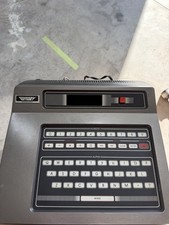
Fairchild Channel F Vintage Home Computer Console System Mainframe Unit
$120.00
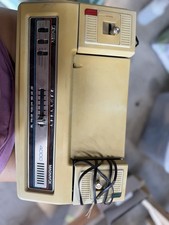
For parts/as is Magnavox Odyssey 4000 Vintage Home Computer Mainframe Unit "4000
$50.00

4x Various Brands 8.5" Mainframe 9-Track Reel Computer Data Tape 6250 CPI .5"
$24.99
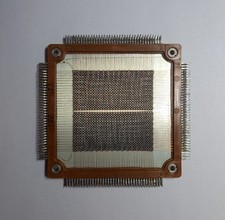
Rare 4K Bytes Vintage Ferrite Core Memory for Mainframe 1970s
$197.00

HP 13210-60001 Disc Drive Interface PCB HP 7900A 7901A Vintage
$157.93
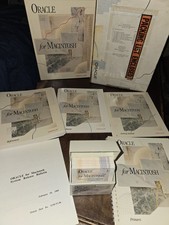
Oracle for Macintosh Developer’s Kit v1.0a (1988–1989) – Complete • UNUSED
$1600.00