

 Reply With Quote
The iso file is a CD IMAGE
so.. you don't burn the file ONTO the cd, but burn the file AS the cd.
In nero it's "burn image" or similar.


I am not experienced in CD burning, but I used Nero and I burned only the file knoppix_v3.1-2003-01-01-EN.iso
But when I try to boot with the CD, it doesn't boot.
Should I have to copy another file in the same CD to do the boot?
thks. Carlos
The iso file is a CD IMAGE
so.. you don't burn the file ONTO the cd, but burn the file AS the cd.
In nero it's "burn image" or similar.
Right click on the iso file and select from the menu :-Originally Posted by caalex
1) "Open with" -> "Choose Program" ie nero or
2) "Properties" -> "Opens with" use the [Change...] tab and select nero
Using good quality 700 meg media helps
rob
to burn from within nero, go to file, then burn image. select the iso, and u are all set. good luck
Also, make sure that the md5 checksums match after you DL.
 Posting Permissions


Refurbished Working 1960's Heathkit EC-1 Educational Electronic Analog Computer
$2999.99

Vintage George A Philbrick Researches Tube Analog Computer Module Serial 005503
$109.99

1969 EAI TR-20 Analog Computer Programming PACE Philbrick Electronic Associates
$36.00
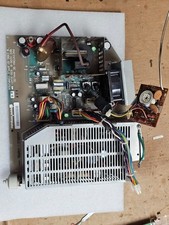
Retro Working Macintosh SE SE30 Analog Board 820-0206-B 630-0147 w/Power Supply
$107.95

Vintage Goodyear Electronic GEDA Analog Computer Plug -- Extremely Rare
$179.00

Vintage 1970’s Analogic MP2110 10-Bit A/D Converter Computer Circuit Board
$24.99

Vintage Donner Scientific Analog Computer Patch Cords Banana Plugs & Resistor
$100.00

Vintage Early Week 12 1984 Apple Macintosh 128K Computer M0001 w/Analog Board+
$209.99

Rare Vintage CH Product Mach III Analog Joystick for Apple Mac
$35.00

VINTAGE Apple Unidisk Analog Card - Circa 1986 | P/N 820-0190-A
$22.67
