

 Reply With Quote
Open a console window and su then enter then type the root password and enter then netcardconfig and enter your settings.


Hello, I just installed Knoppix to my hard drive; I just started using Linux a few days ago. I have a cable modem which is connected to a router. During the install process when I was prompted to give my ip addresses, my real one and the router one, since I couldn't halt the installation to find out what they were I just hit ok. So I need to know how to reconfigure my network settings so I can get online.
p.s. Should I be asking this question in a Debian forum instead?
Open a console window and su then enter then type the root password and enter then netcardconfig and enter your settings.
thanks for answering Stephen
I have the same situation. now i ran the fix you posted and knoppix does not detect my network card. i have a NVIDIA nForce MCP Networking adapter. What am I doing wrong or what am I missing? I am using Knoppix 3.2.
 Posting Permissions


Yealink T48S VoIP/SIP Phone, 2 x Gigabit Ports PoE 7" Color SIP-T48S | TESTED
$34.95
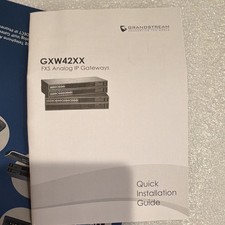
Grandstream GXW4224 24-Line FXS Analog VoIP Gateway, Ethernet RJ-45 Black
$165.00

Lot of 4 USED IPitomy IP620-B with IPX-32 DSS Expansion Module VoIP Phone POE
$225.00

SIM Bank 32 SIM Card Slots Ethernet SIM Server for GoIP
$400.00

Yealink SIP-T33G IP Phone 4-LineSpeakerphone VoIP Desk Phone Black w/ Power Sply
$25.00

Grandstream HT701 1-Port FXS Analog Telephone Adapter ATA VoIP Gateway -Free S/H
$19.99

Grandstream WP810 Portable Cordless Wi-Fi IP Phone
$49.28

Cisco / Linksys SPA2102 VoIP 2FXS Phone Adapter with Router (unlocked)
$18.99

Set of 5 USED IPitomy IP620-B HD VoIP 6-Line IP Phone Speakerphone Ethernet POE
$149.00

Lot of 9 Used IPitomy IP320-P HD POE Voice Speakerphone 12-Line VoIP Phone
$225.00