

 Reply With Quote
Open a console window and su then enter then type the root password and enter then netcardconfig and enter your settings.


Hello, I just installed Knoppix to my hard drive; I just started using Linux a few days ago. I have a cable modem which is connected to a router. During the install process when I was prompted to give my ip addresses, my real one and the router one, since I couldn't halt the installation to find out what they were I just hit ok. So I need to know how to reconfigure my network settings so I can get online.
p.s. Should I be asking this question in a Debian forum instead?
Open a console window and su then enter then type the root password and enter then netcardconfig and enter your settings.
thanks for answering Stephen
I have the same situation. now i ran the fix you posted and knoppix does not detect my network card. i have a NVIDIA nForce MCP Networking adapter. What am I doing wrong or what am I missing? I am using Knoppix 3.2.
 Posting Permissions


VTG Atari 400 Home Computer System ** Sold "AS-IS" for Parts or Repair
$88.75

Atari 130 XE/Atari 1050 Bundle W/ Cords And Extras (Powered On)
$300.00

DEFECTIVE Atari 810 Vintage Computer Disk Drive powers on Unit Only Boo G3D
$49.29

Atari 800 8-bit Computer System Fully Tested Great Condition 48k READ
$350.00
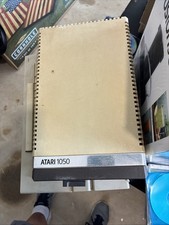
Atari 1050 Floppy Disk Drive with Power Supply, MPN C061636 (Vintage)
$80.00

Atari XE 130XE Computer NTSC with Power Supply Powers On Untested
$159.95

Fujinet 1.7.1 Atari 400 800 800XL 130XE 65XE XEGS Assembled, Tested, Working
$99.99

SDrive Max Floppy Drive Emulator Atari 8-Bit 400/800/XL/XE Firmware 1.5 USB C R2
$70.00

UNOCART-2600 SD card Multi Rom Cartridge for ATARI 2600 with CASE
$34.25

Vintage Atari SF354 Floppy Disk Drive & Power Supply FOR PARTS OR REPAIR AS IS
$120.00