-
Common USB problem???
I did a hard drive install of Knoppix on 3 computers and I am having the same problem with all three....
While the USB system was being detected without problem when booting from the CD, the HD installations do not recognize the USB system. I have tried everything that I can think of (not much since I am very new at Linux), but I cannot get it to work.
Any ideas?
-
Senior Member
registered user
Re: Common USB problem???

Originally Posted by
richeddy
I did a hard drive install of Knoppix on 3 computers and I am having the same problem with all three... While the USB system was being detected without problem when booting from the CD, the HD installations do not recognize the USB system.
What kind of mouses are you using? Are they USB? Are the 3 computers the same? If so, what chipset are they using, or which model/brand of motherboard?
I have found some otherwise-fine USB mouses to not work with Linux--I think it's a timing issue, and probes and timings can vary between CD and an HDD install.
More information, please.
~~~~~~~~~~~~~~~~~
-- Michael Rudas
Metro Detroit Linux Users' Group: http://www.MDLUG.org
PengiuCon 2.0, April 2004: http://www.PenguiCon.org
-
What kind of mouses are you using? Are they USB? Are the 3 computers the same? If so, what chipset are they using, or which model/brand of motherboard?
I have found some otherwise-fine USB mouses to not work with Linux--I think it's a timing issue, and probes and timings can vary between CD and an HDD install.
More information, please.
All three machines have PS/2 mouses that work without any problems. The three computers are very different....on is a Pentium III 500mhz, one is an AMD K3 450mhz and one is an Athlon XP2000+. I can't imagine that the same problem could exist on three vastly different systems without it being a problem related to the os itself.
The problem is very strange because the log files indicate that the USB system is being detected, however, it is not available for any USB device that I have tried (Lexar JumpDrive and Palm HotSync cradle).
-
Senior Member
registered user
try 'lsmod' to see what driver is loaded. also, check if the usbdevfs is mounted by 'cat /proc/mounts'
The USB subsystem in linux works like this :
a set of core drivers needs to be loaded which handles the hardware detection stuff(plug/unplug). These information some how would be presented in the usbdevfs and there is a hotplug program/deamon that would handle the actual loading/unloading of the correct device drivers(and subsequent stuff). All three must be running properly for USB to work.
Similar Threads
-
By Cuddles in forum General Support
Replies: 11
Last Post: 08-24-2004, 03:22 PM
-
By MillTek in forum Hdd Install / Debian / Apt
Replies: 1
Last Post: 05-16-2004, 12:45 PM
-
By Flying2Eagles in forum Customising & Remastering
Replies: 0
Last Post: 11-20-2003, 09:55 PM
-
By bongski55 in forum Hardware & Booting
Replies: 4
Last Post: 11-15-2003, 10:19 AM
-
By Triple Six in forum Hardware & Booting
Replies: 2
Last Post: 04-15-2003, 04:23 AM
 Posting Permissions
- You may not post new threads
- You may not post replies
- You may not post attachments
- You may not edit your posts
-
Forum Rules

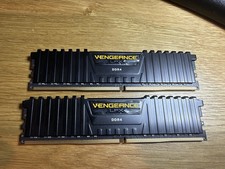
Corsair Vengeance LPX 32GB (2x16GB) RAM DDR4 3200MHz CMK32GX4M2E3200C16
$160.00

16GB KIT (2x8GB) DDR4 Gamer Desktop RAM PC4 MIXED BRANDS
$65.00

Netac DDR4 32GB 16GB DDR4 3200MHz UDIMM C16 Desktop Internal Memory RAM Kit
$199.99
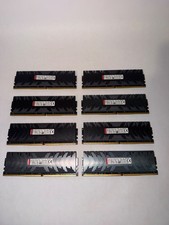
128gb DDR4 Ram Hpyerx HX430C15PB3K8/128 16x8 3000 MHZ CL15 Tested Read DESC
$300.00

A-Tech 8GB DDR3 1600 PC3-12800 Laptop SODIMM 204-Pin Memory RAM PC3L DDR3L 1x 8G
$21.68

DDR4 Laptop RAM 4GB 8GB 16GB 32GB 2400 2666 3200 Samsung Hynix
$30.00

MINT Micron Cisco 32GB PC4-2400T DDR4 2Rx4 RDIMM RAM MTA36ASF4G72PZ-2G3 LOT
$159.99

RAMAXEL Lenovo 32GB LPDDR5X CAMM2 7500MHz Laptop RAM | UNTESTED
$445.00
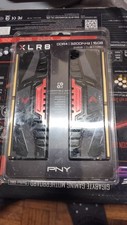
PNY XLR8 DDR4 16GB (2x8GB) 3200MHz DIMM Desktop RAM Kit Black/Red
$87.00
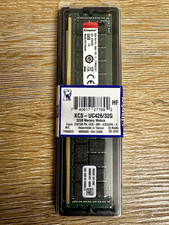
Kingston 32GB DDR4-2666 PC4-21300 288-Pin DIMM Non-ECC Unbuffered
$239.00



 Reply With Quote