-
apt-get upgrade made huge changes to system
I installed Knoppix 3.2 to the hard drive in the summer, and recently did a full apt-get upgrade; as far as I can recall, I didn't change the sources.list file (though I may have added some local Debian mirrors).
I had in the last few months installed a number of additional packages, and a new kernel (2.4.22).
The upgrade did not go well. Many changes seem to have been made to the system, and many of the settings I had adjusted seem to have been overwritten or replaced. Also, at boot the system is now trying to install a number of modules it didn't try before (ISDN is one in particular I noticed). Custom changes I had made to /etc/inittab, /etc/init.d/rc.d, /etc/init./rcS.d (for kernel-patch-lpp) were lost. It seems the upgrade
After mucking about for a while I did manage to get the system to boot properly, except for two issues:
1. Boot time is now much longer. I am guessing this is because of the attempts to load modules that don't exist in my recompiled kernel
2. KDM does not start automatically, though it tries to. The last message at boot is "Starting KDE", but then it goes straight to a console. Typing "kdm" at the console will then start KDE without problems.
3. Some console programs run as root use German (i.e. modconf)
Before I start mucking about with the module directories and startup scripts, does anyone have any suggestions/thoughts/comments about this? Anyone else have the same problems? Might I better off to clean off the hard drive and do a fresh instal (I can reinstall the few extra programs without too much hassle)?
B
-
Senior Member
registered user
Re: apt-get upgrade made huge changes to system
Re: 1. Check /etc/modules and comment '#' out the ones you don't need
2. Check /etc/inittab for kdm and doublecheck ' whereis kdm '
--If all else fails, you *should* reinstall, but back up 1st. Are you sure you didn't do dist-upgrade by mistake?
--In future, when upgrade asks if you want to replace a file that has been modified with the maintainer's updated version, ALWAYS do a 'D'iff on it 1st. You can safely say No in some cases.

Originally Posted by
bb
I installed Knoppix 3.2 to the hard drive in the summer, and recently did a full apt-get upgrade; as far as I can recall, I didn't change the sources.list file (though I may have added some local Debian mirrors).
I had in the last few months installed a number of additional packages, and a new kernel (2.4.22).
The upgrade did not go well. Many changes seem to have been made to the system, and many of the settings I had adjusted seem to have been overwritten or replaced. Also, at boot the system is now trying to install a number of modules it didn't try before (ISDN is one in particular I noticed). Custom changes I had made to /etc/inittab, /etc/init.d/rc.d, /etc/init./rcS.d (for kernel-patch-lpp) were lost. It seems the upgrade
After mucking about for a while I did manage to get the system to boot properly, except for two issues:
1. Boot time is now much longer. I am guessing this is because of the attempts to load modules that don't exist in my recompiled kernel
2. KDM does not start automatically, though it tries to. The last message at boot is "Starting KDE", but then it goes straight to a console. Typing "kdm" at the console will then start KDE without problems.
3. Some console programs run as root use German (i.e. modconf)
Before I start mucking about with the module directories and startup scripts, does anyone have any suggestions/thoughts/comments about this? Anyone else have the same problems? Might I better off to clean off the hard drive and do a fresh instal (I can reinstall the few extra programs without too much hassle)?
B
-
Re: apt-get upgrade made huge changes to system
Originally Posted by
Dave_Bechtel
Re: 1. Check /etc/modules and comment '#' out the ones you don't need
2. Check /etc/inittab for kdm and doublecheck ' whereis kdm
Will try this out, thanks.
Originally Posted by
Dave_Bechtel
--If all else fails, you *should* reinstall, but back up 1st. Are you sure you didn't do dist-upgrade by mistake?
I think that I probably did a dist-upgrade. I am guessing from my experience that this is a bad idea on a system originally installed from Knoppix?
Thanks for your reply,
BB
-
Junior Member
registered user
I recently did an apt-get upgrade on a 9-22-2003 Knoppix installation.
Seemed to go all right, but over the last few days I've noticed two changes, one trivial, one kind of disturbing.
Trivial, but annoying: The GUI Logon Menu is in.. well, maybe it's German, though it looks like something else entirely. How can I change the Logon menu language?
Kind of disturbing: My KDE environment runs great. But when I , for example, Ctrl-Alt-F1 to a console, it repeats
"sr0: CD-ROM not detected. Make sure there is a disk in the drive."
over and over. If I put in any CD, it stops and allows me to logon and it act normally (unless I try to remove the CD, then it starts up again).
I assume it's been reset somehow, and is looking for the Knoppix CD. How can I stop that?
Thank you in advance for any help.
-
Senior Member
registered user
--That is some Utterly Weird behavior you got there. I'd DL the 9-24 rev and reinstall, after backing up of course. See this thread ( http://www.knoppix.net/forum/viewtop...ghlight=#25532 ) for some reinstall tips.
--Did the apt-get update ask if it could modify any files? Sometimes it comes up with a prompt (default is No, and you can hit D to see the differences between your file and the maintainer's new file.) If in doubt, always use D, and sometimes it's OK to say No. (I think some package modified your default language. No idea about the cdrom error, altho you should check /etc/fstab and see if it has ' auto ' or something weird in there for that line.)
Originally Posted by
Paradox
I recently did an apt-get upgrade on a 9-22-2003 Knoppix installation.
Seemed to go all right, but over the last few days I've noticed two changes, one trivial, one kind of disturbing.
Trivial, but annoying: The GUI Logon Menu is in.. well, maybe it's German, though it looks like something else entirely. How can I change the Logon menu language?
Kind of disturbing: My KDE environment runs great. But when I , for example, Ctrl-Alt-F1 to a console, it repeats
"sr0: CD-ROM not detected. Make sure there is a disk in the drive."
over and over. If I put in any CD, it stops and allows me to logon and it act normally (unless I try to remove the CD, then it starts up again).
I assume it's been reset somehow, and is looking for the Knoppix CD. How can I stop that?
Thank you in advance for any help.
-
Junior Member
registered user
For various reasons (including using this experience as a learning tool), I'd rather try to fix my problems then simply re-install.
I'm gonna try googling for more information regarding the CD-ROM issue-- I checked and it's not a problem in my fstab file.
Does anyone know a file I can edit to fix the language problem, though?
and yeah.. the CD-ROM problem is still there. I rarely if ever go to console, but... that can't be good behavior. Any more advice?
-
Junior Member
registered user
Someone figured out the problem on LinuxQuestions.org, I'm paraphrasing it here in case it happens to someone else.
If it does, go to /etc/modules
comment out autofs
Reboot, and it should be fine. 
Edit: The above is not accurate. Apologies, I was as confused myself... In actuality, the problem was the KsCD program running in my system tray. Quit that, and the problem goes away. Oops.[/b]
-
Senior Member
registered user
You could manually fix your german console problems by looking here:
http://www.knoppix.net/forum/viewtopic.php?t=310#1067
and/or ...
I would recommend installing the localepurge package. Selecting the locale(s) you wish to use when you set it up, after that whenever you install a package it will purge all unnecessary locale files from your system, then no unwanted locales can be used.
HTH
~rock
Similar Threads
-
By knewbix in forum The Lounge
Replies: 8
Last Post: 06-19-2005, 09:10 AM
-
By Leipe_Po in forum Klik
Replies: 1
Last Post: 05-12-2005, 08:45 PM
-
By jinzora in forum The Lounge
Replies: 2
Last Post: 05-11-2005, 12:46 AM
-
By John in forum Customising & Remastering
Replies: 4
Last Post: 10-31-2003, 02:21 PM
-
By eadz in forum The Lounge
Replies: 3
Last Post: 07-01-2003, 09:31 PM
 Posting Permissions
- You may not post new threads
- You may not post replies
- You may not post attachments
- You may not edit your posts
-
Forum Rules


OPNsense pfSense 8-Core Atom C3758 2.2GHz 8GB DDR4 64GB SSD 8x NIC QAT AES VPN
$115.00

Ubuntu Server 26.04.1 LTS Bootable USB Flash Drive – Latest September 2026
$12.99

1U Rackmount PC Intel Core i5-2520M 8GB RAM 500GB HDD Ubuntu Linux Server
$109.99
OPNsense pfSense 8-Core Atom C3758 2.2GHz 8GB DDR4 512GB SSD 8x NIC QAT AES VPN
$128.00

All New Ubuntu 26.04 LTS Linux Bootable USB Flash Drive
$15.95

Start9 Server Pure 32GB 4TB Intel i7 Node StartOS — Box + PSU
$649.00
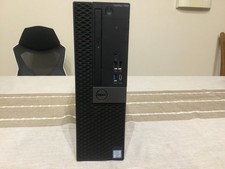
Dell Optiplex 7050 SFF Server (256GB NVME, 8GB RAM, i5-7500 @ 3.8Ghz)
$75.00

ESET Server Security (File Security) | Variant Item | Download Version
$136.15

Sun Enterprise e450 400mhz cpu(x4), 4gb ram, 9gb HD w/spud most complete on ebay
$500.00

SQL Server 2022 Enterprise 96 Core License & DVD Unlimited CALs with CoA
$284.99



 Reply With Quote