-
Video Problem?????????
I have a good CD becasue I test it on my friends computer and it works fine. But it does not run right on mine. I believe it maybe a video problem of some sort. It get the screen which it detects everything. But when it shuts down and goes into the main screen. I see the CD light working but my monitor is not getting any video and the light on the monitor shows that it is not getting video from the computer so the monitor goes into the off mode. Any suggestions. I love the fact one can use Knoppix from a CD without having to play around with the HD 
-
Senior Member
registered user
Did you try 'knoppix 2' on the boot: screen? If you get that to work, only root console mode, then you know its either a problem with KDE or your X screen settings.
If you get 'knoppix 2' to work then try rebooting with other options in the cheat codes, like 'fb800x600' see if you can get X working. You can get a complete list of available cheats for your CD when at the boot: screen by hitting F2.
After that come back tell us your results.
Good Luck,
-
Senior Member
registered user
Video problems
<snip>
...my monitor is not getting any video and the light on the monitor shows that it is not getting video from the computer so the monitor goes into the off mode.
</snip>
What you are probably seeing is an "out-of-range" error. In other words, the video signal from the graphics card is incompatible with your monitor. See the [F2]-triggered cheat-codes to try an 800x600 resolution, or try something like "knoppix xvrefresh=60" to find a compatible video mode. If you need more info, please specify:
1. Your video chipset; and
2. Your monitor brand.
You can get this info as it scrolls by at Knoppix startup, and/or (if you normally run Windows) get the information from the Device Manager. If you DON'T see this information under Knoppix, that may be part of the problem; if the Knoppix hardware ID doesn't match what Windows says, that may be useful, too.
-
I have the same problem with this setup.
GeForce Ti4200
Samsung 19" TFT on the DVI port
Sony 19" CPD tube monitor on the second output.
Everything is detected but when X is launched everything becomes black. I have access to other tty, so it's really a problem with X.
I have tried screen=1280x1024 and xvrefresh=60.
All the other computers that I've tried Knoppix on worked flawlessly (TFT, tube, different brands of GFX cards)
-
Ironically I have the same problem with this setup.
GeForce 3
Gateway 16" TFT on the DVI port
Everything is detected but when X is launched everything becomes black. Then the computer locks up, then i have to unplug my whole computer and start all over.
I also have tried screen=1280x1024 and xvrefresh=60.
I remember that someone said that a DVI output is not supported, but some else reported that he got it working by downloading the binary drivers.
Anyone know the process and can help?
-
Senior Member
registered user
>>
What you are probably seeing is an "out-of-range" error. In other words, the video signal from the graphics card is incompatible with your monitor. See the [F2]-triggered cheat-codes to try an 800x600 resolution, or try something like "knoppix xvrefresh=60" to find a compatible video mode. If you need more info, please specify:
<<
Yup, I had this problem with 3.2 - it was out of range. I got xhrefresh to get in range, but not xvrefresh for some reason....
Regards,
-
Re: Video problems

Originally Posted by
Loper
<snip>
...my monitor is not getting any video and the light on the monitor shows that it is not getting video from the computer so the monitor goes into the off mode.
</snip>
What you are probably seeing is an "out-of-range" error. In other words, the video signal from the graphics card is incompatible with your monitor. See the [F2]-triggered cheat-codes to try an 800x600 resolution, or try something like "knoppix xvrefresh=60" to find a compatible video mode. If you need more info, please specify:
1. Your video chipset; and
2. Your monitor brand.
You can get this info as it scrolls by at Knoppix startup, and/or (if you normally run Windows) get the information from the Device Manager. If you DON'T see this information under Knoppix, that may be part of the problem; if the Knoppix hardware ID doesn't match what Windows says, that may be useful, too.
 i had the same as descripted situation and typed: "knoppix xvrefresh=60". The monitor shows knoppix.
many thanks
-
I only downloaded and starting using knoppix today, and i had the same problem. After reading the FAQs it told me to try some cheat codes, so off i went ...
knoppix xmodule=vesa
This didn't work!
knoppix xmodule=fbdev
This did and and it loaded up!
Similar Threads
-
By obsoleto in forum Hardware & Booting
Replies: 1
Last Post: 10-18-2004, 03:21 PM
-
By Pliskit in forum General Support
Replies: 2
Last Post: 04-23-2004, 09:53 PM
-
By rowck001 in forum General Support
Replies: 1
Last Post: 04-23-2004, 06:45 PM
-
By in forum Hardware & Booting
Replies: 10
Last Post: 01-28-2003, 10:41 AM
-
By gabcicala in forum Hardware & Booting
Replies: 2
Last Post: 01-27-2003, 05:20 AM
 Posting Permissions
- You may not post new threads
- You may not post replies
- You may not post attachments
- You may not edit your posts
-
Forum Rules


Acer Aspire 14" AI Copilot+PC Laptop Core Ultra 5 226V Gen 4 ARC 16GB 1TB Refurb
$438.51

Seagate ST1000VM002 1TB 5900RPM 3.5" SATA 6Gb/s HDD | PC DVR CCTV | | 1Y
$55.95

Dell Latitude 14" Laptop Computer Intel i5 Up To 32GB RAM 1TB SSD Windows 11 Pro
$375.05

Dell Latitude 14" Laptop Computer Intel i7 Up To 32GB RAM 1TB SSD Windows 11 Pro
$429.73

1TB Kingston DataTraveler Max DTMAX/1TB USB Type-C Flash Drive
$86.95

Acer Aspire 16 16" Laptop Core Ultra 5 226V S2 16GB RAM 1TB SSD Arc Refurbished
$533.51

Silicon Power SP A55 1TB SATA 2.5" Solid State Drive
$85.00
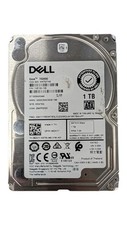
Dell 8DN1Y 1TB 7.2K RPM Internal 2.5'' SATA SFF Hard Drive - ST1000NX0443
$29.99

2TB 4TB 8TB Type-C USB 3.1 Data Storage Device Laptop Computer
$48.99
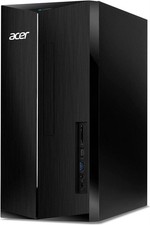
Acer Aspire Desktop i5-14400 14th Gen 16GBRAM(8GB*2) 1TB SSD UHD 730 Refurb
$463.14



 Reply With Quote