-
Explanation
BROADCAST ADDRESS: The ip of a server. For example if you ping www.google.nl you get PINGING<IP ADDRES> with .... enz , well this ip addres is the BROADCAST ADDRESS. ( note: 127.0.0.1 is NOT a broadcast address )
NAMESERVER: The ip of the server you use to resolve DNS names to IP's. If those servers wouldn't exist, you'd have to type http://62.195.229.87 instead of www.marnowebsite.tk ( example  ).
).
Ok, so far for the word knowledge.... About the screenshot:
you could also echo the output into a file with the following command:
ifconfig >> output
route -n >> output
cat /etc/resolv.conf >> output, or simply
ifconfig >> output && route -n >> output && cat /etc/resolv.conf >> output

For the network
As far as i know you cannot manually config your /etc/resolv file cause it wont be able to save it ( since root filesystem where it resides is mounted ro ).
Try using the netcardconfig command, and chosing DHCP for that. Then look for running DHCP deamons / clients ( command: ps -ef | grep dhcp and if this shows up nothing then just run ps -ef and search for it, also: try probing for your network card. for my network server i do:
modprobe fealnx
And then it goes like: Found PCI: 1
and then i can run netconfig to config everything. It would also be cool to check your setup with a router / other pc to just check for the network adapter. ( try sshing yourself if you dont have another pc, and dont do it on your loopback (127.0.0.1 ) but on your "outside" ip, run ifconfig eth0 and see if it gives any output, then try:
ssh BROADCAST IP.
Note
By looking at your screenshot, i notice that you do not have a network card installed ( correct me if im wrong! ) You're only ifconfig output is that of your Loopback which is useless to get on the internet. You should first probe for your network card. Look on the internet for the type of your eth0 card ( and which linux driver it needs ), and then install it ( or just probe for it if its installed ) Also, you told me you have 2 NIC's installed, which is basically not a good idea. I suggest removing one of them, cause it might also be an IRQ conflict ( which windows might not notice, but linux does... ).
Good luck,
grtz...
Marno vd Molen
AKA
LinuXdud3
Similar Threads
-
By jcalvert in forum Networking
Replies: 1
Last Post: 01-24-2005, 12:13 PM
-
By amodjoshi in forum Networking
Replies: 0
Last Post: 01-24-2005, 08:32 AM
-
By sunpascal in forum MS Windows & New to Linux
Replies: 10
Last Post: 12-04-2004, 11:53 PM
-
By PrOmETeO in forum Networking
Replies: 1
Last Post: 02-05-2004, 07:44 PM
-
By satimis in forum Networking
Replies: 2
Last Post: 06-23-2003, 08:08 AM
 Posting Permissions
- You may not post new threads
- You may not post replies
- You may not post attachments
- You may not edit your posts
-
Forum Rules

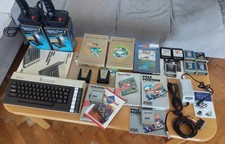
Atari 600XL Ultimate collection, 2xQuickshot1, psu Atari Keelog, 13x cart
$699.00
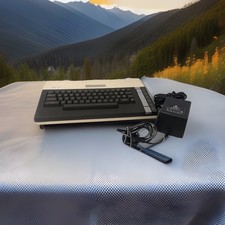
ATARI 800 XL 8-Bit Computer w/ Power Supply
$169.00

DEFECTIVE Atari 810 Vintage Computer Disk Drive powers on Unit Only Boo G3D
$55.24
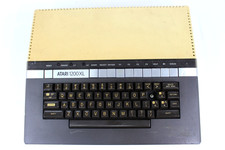
VTG Atari 1200XL Home Computer System 1200 XL ** Tested ** Parts or Repair
$248.75
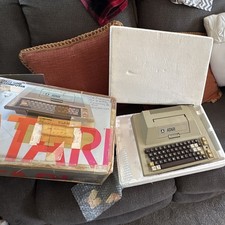
Atari 400 Vintage Home Computer System w/ Original Box MPN Atari 400
$175.00
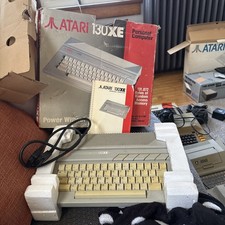
Atari 130XE Personal Computer Desktop w original box/cable/manual
$350.00
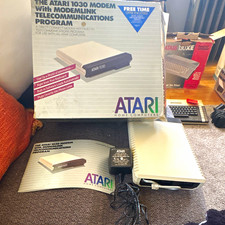
Atari 1030 External Dial-Up Modem 300 bps w/ ModemLink Box Manual Guide
$110.00

Fujinet 1.7.1 Atari 400 800 800XL 130XE 65XE XEGS Assembled, Tested, Working
$99.99

Atari 400 Computer System console with Power Supply TESTED and Working
$160.00
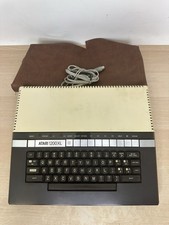
Vintage Atari 1200XL Home Computer System - NO Power Supply - UNTESTED
$224.98



 Reply With Quote