

 Reply With Quote
Tools to fix partitions.
DOS:
Partition Magic
Paragon Partition Manager
fdisk
Linux:
Run in a terminal-console
qtparted
fdisk (not easy)


K, i have installed to knoppix 3.3 onto a 20 gb hard drive, but i also installed it onto a 10 gb one. this is because it did not work from this hard drive. now the problem is how do i format the 10 gb hard drive. i booted to dos and tried typing c:/ but this did not work, what would the drive be called, on the desktop it is called hda5. i tried putting this into dos but it still didn't work?
When i try and access the 10 gb drive it comes up with the error:
"could not mount device
the reported error was:
mount: i could not determine the filesystem type, and none was specified."
I think i partitioned the 10 gb drive wrong, making both the swap partition and the linux part logical, instead of making linux part primary.
any 1 know how to fix this?
Also, when i right click on any shortcut on the desktop all the icons on the desktop dissapear, whats up with that?
another slightly annying thing, how do i make numlock come on automatically on startup?
thanks for any help.
Tools to fix partitions.
DOS:
Partition Magic
Paragon Partition Manager
fdisk
Linux:
Run in a terminal-console
qtparted
fdisk (not easy)
That's no problem. Linux can be installed to logical slices within extendedOriginally Posted by Spike
partitions. For the rest, I am not sure I followed you. Are theses two disks
installed in the same system? Then (assuming IDE), one will be hda and
the other hdb. Take the time to explain your problem better, if you still have one.
--Post results of ' fdisk -l ' as root.
--You cannot make Linux filesystems from DOS. I highly recommend you go with a journalled filesystem such as reiserfs (' man mkreiserfs ') or ext3. In order to format the partition in Linux, you have to run one of ' mkfs.blah ' on it:
/sbin/jfs_mkfs
/sbin/mkfs
/sbin/mkfs.ext2
/sbin/mkfs.ext3
/sbin/mkfs.jfs
/sbin/mkfs.minix
/sbin/mkfs.msdos
/sbin/mkfs.reiserfs
/sbin/mkfs.vfat
/sbin/mkfs.xfs
--Then you need to set up an entry for it in /etc/fstab. (You also need to make sure that the filesystem is supported in the kernel - either by hardwiring it in, or as a module - but Knoppix makes this easy.) If you use reiserfs, I recommend something like this, as root of course:
' mkdir /mnt/mountpoint ' == Call it what you want
' mkreiserfs /mnt/hda5 ' == The partition you want to format
' jstar /etc/fstab ' and put something like this in (' man fstab ' will tell you more, as well as ' man mount ')
--Then ' mount /mnt/mountpoint ' after saving. Now you should make a directory that your non-root user owns and can write to.Code:/dev/hda5 /mnt/mountpoint reiserfs defaults,noatime,notail,rw 0 0
' cd /mnt/mountpoint; mkdir blah '
' chown knoppix.knoppix blah ' == Replace knoppix with obvious userid
--Now you can write and use files in /mnt/mountpoint/blah.
--The numlock thing:
Put the following entry at the end of /etc/init.d/bootmisc.sh :
Code:setleds +num


Partition Magic, Partition Manager etc etc
all them run under DOS and of course they support linux
(sigh) Yes, Ok technically you're right but everything from PM 7.0 on has to be started from Windoze, and is only capable of making Swap and ext2 filesystems for Linux AFAIK. I stuck with PM 7.01 personally for monetary reasons, and because I heard of people having problems with the latest ver.
Nothing to say about money...and emule...
Windoze is not necessary to boot partion magic or partition manager. The core part boot from a DOS floppy or may be run from real DOS HD. All versions. Look in "Make a recovery floppy" option or similar.
Actual versions for sure support ext3. I dont remenber now if reisefers is supported too. I´am not sure. They both are very usable. No problem yet.
regards
 Posting Permissions


(New) AMD Ryzen 7 5700X 8 Core 16 Thread AM4 Unlocked 3.4 GHz CPU OEM Tray
$169.99

RYZEN 7 9800X3D 8-Core, 16-Thread Desktop Processor
$440.00

Apple MacBook Air 13.6” M2 8GB 256GB SSD 2022 MLY33LL/A 8‑Core CPU 8‑Core GPU
$529.95
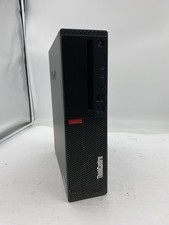
Lenovo ThinkCentre M920S Sff Intel Core i5 8600 8GB 256GB SSD Windows 11 Pro
$94.99

Intel SRG13 Core i7-9700 3.00GHz Socket 1151 8 Core CPU Processor LGA1151
$77.99

AMD Ryzen 7 9800X3D 8-Core AM5 CPU 4.7GHz 96MB L3 8MB L2 100MHz
$389.99
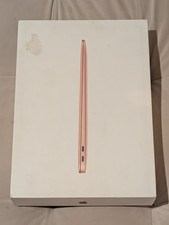
MacBook Air 13 2020 M1 8-Core CPU 7-Core GPU 8GB RAM 256GB Storage Gold
$399.00

Lenovo LOQ 15 15.6" FHD 144Hz 8-Core i5-12450HX 16GB 512GB SSD GeForce RTX 4050
$760.00

8-core 10-core GPU baseboard 8654 to PCIE 5.0x16 GPU expansion baseboard
$377.77

CHUWI 15.6'' Laptop Computer Intel Core 8GB RAM 512GB SSD WiFi Windows 11
$269.99