-
Junior Member
registered user
Viewing videos
Hi folks!
New to Linux/Knoppix.
I want to view movie trailers on the Apple.com website. Normally, I use Windows/Quicktime but there seems to be no option for Linux.
What to do? Can I use Xine or is there a Quicktime version that will run with Knoppix, or something else entirely?
Thanks in advance!
-
Senior Member
registered user
Re: Viewing videos
--You have to be installed to HD, but you can install mplayer.
' apt-get install mplayer-686 w32codecs '
--Go also to the mplayer site ( http://www.mplayerhq.hu/homepage/design6/dload.html ) and
Install mplayer-skin--default-1.7.tar.bz2 into
/usr/local/share/mplayer/Skin
Install mplayer--qt6dlls.tar.bz2, mplayer--qtextras.tar.bz2
--Hopefully that should work, there's lots of stuff on the web to help with installing/using mplayer.

Originally Posted by
dmedici
Hi folks!
New to Linux/Knoppix.
I want to view movie trailers on the Apple.com website. Normally, I use Windows/Quicktime but there seems to be no option for Linux.
What to do? Can I use Xine or is there a Quicktime version that will run with Knoppix, or something else entirely?
Thanks in advance!
-
Junior Member
registered user
Dave,
Again, thanks in advance for your help. I've been able to figure out a bunch of new things from your post.
Question -
what do you mean by this line...
' apt-get install mplayer-686 w32codecs '
and this line
Install mplayer--qt6dlls.tar.bz2, mplayer--qtextras.tar.bz2
Are these instructions to be typed into the shell? Sorry, I'm really new at Linux. 
-
Senior Member
registered user
(Activate patience... Ok)
As root, you type that apt-get install line while connected to the Internet. Apt then installs mplayer-686 and the Win codecs.
You may have to add this to /etc/apt/sources.list :
--Check http://www.apt-get.org/ for other unofficial debian software.
When downloading the files from the mplayer website (the .bz2 files) I renamed them on the fly to mplayer--origfilename so I knew what they were related to. You *have* to have a default skin, and you said you wanted to view QT files. So you download those bz2's and install them where the mplayer site tells you to.
There is a howto on their website:
http://www.mplayerhq.hu/DOCS/en/documentation.html
Originally Posted by
dmedici
Dave,
Again, thanks in advance for your help. I've been able to figure out a bunch of new things from your post.
Question -
what do you mean by this line...
' apt-get install mplayer-686 w32codecs '
and this line
Install mplayer--qt6dlls.tar.bz2, mplayer--qtextras.tar.bz2
Are these instructions to be typed into the shell? Sorry, I'm really new at Linux.
Similar Threads
-
By JLJR in forum General Support
Replies: 2
Last Post: 09-30-2003, 03:22 PM
-
By pummer in forum General Support
Replies: 11
Last Post: 09-13-2003, 06:08 PM
-
By gatzke in forum Customising & Remastering
Replies: 9
Last Post: 04-02-2003, 04:35 PM
-
By yazdzik in forum General Support
Replies: 2
Last Post: 02-20-2003, 09:14 AM
 Posting Permissions
- You may not post new threads
- You may not post replies
- You may not post attachments
- You may not edit your posts
-
Forum Rules


Western Digital HUS726T4TAL5204 4TB 7.2K SAS 12Gb/s 3.5" 512e HDD NetApp X375A
$64.00

HGST Ultrastar HUS726040AL5210 4TB 7200RPM SAS 12Gb/s Enterprise HDD
$41.00

Seagate ST8000NM0075 Enterprise Capacity 3.5 HDD 8TB SAS Hard Drive 8TB EXOS
$184.99

HDD 3.5" SATA Hard Drive with Windows 10/Win 11 64x Installed Legacy
$35.00

Dell ST6000NM0034 1HT27Z-150 NWCCG 6TB SAS 3.5 7.2K ENTERPRISE SERVER DRIVE
$68.99
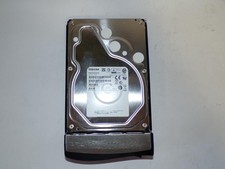
Toshiba MG03ACA400 4TB 7200 RPM SATA 6.0Gb/s 3.5" Enterprise HDD (V6313)
$61.56

Seagate Barracuda ST1000DM003 1 TB SATA III 3.5 in Desktop Hard Drive
$23.99

Seagate ST3000NM0005 HDD 3TB SATA 6Gb/s 7.2K 3.5" 512 b/s
$59.00

DELL 2TB Enterprise HDD (7200RPM, 3.5", SATA III, 128MB Cache) HUS722T2TALA600
$49.95

HUS726060ALA640 HGST Ultrastar 6TB SATA 6Gbps 7.2K 3.5" Hard Drive OF21860
$129.99



 Reply With Quote