-
How can I force one of two KNOPPIX filesystems to be detected
I have a KNOPPIX boot stick and a KNOPPIX boot laptop.
If I insert the stick into the laptop and fire the laptop up and visit Boot Order I can require the stick to be detected.
(i.e. perfectly normal KNOPPIX practice for many of us.)
However there then seems to occur a kind of "search" and although the stick was initially engaged, it is the laptop's KNOPPIX system that is detected and utilised thereafter.
Can I force the stick to be the platform that is used?
(The point of doing this is that I want to mess about with the laptop's filesystem - and so I want it to be "dead" not live while I do this.)
Thank you!
 Posting Permissions
- You may not post new threads
- You may not post replies
- You may not post attachments
- You may not edit your posts
-
Forum Rules


Intel Core i5-12500T SRL5W 2GHz 18MB 6 Core Socket LGA1700 Desktop CPU Processor
$114.99

INTEL CORE I9-10940X X-SERIES PROCESSOR | 3.30GHZ | SRGSH
$179.99
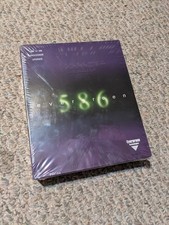
Evergreen 586 - Processor upgrade 486 to 586
$149.99

INTEL CORE I9-10980XE PROCESSOR | 3.00GHZ | SRGSG
$299.99

AMD Ryzen 5 5500 Processor ( read Description)
$59.00

Intel SR3XE Core i5-8500 3.0GHz 9M Socket 1151 6-Core CPU Processor *Tested*
$32.99

Intel Core i7-3770K 3.5 GHz Processor
$39.00

Intel Xeon E3-1230 v3 SR153 3.3GHz Quad Core LGA 1150 CPU Processor
$14.49

AMD - Ryzen 7 5800X3D 8-Core - 16-Thread 3.4 GHz (4.5 GHz Max Boost) w/ Ice Pad
$355.99
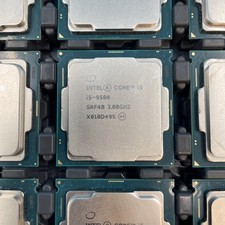
(LOT OF 12) Intel Core i5-9500 CPU 3.00GHz Desktop Processor (SRF4B)
$575.00



 Reply With Quote