-
Senior Member
registered user
at startup, when you see the memory-counter, your processor etc etc (just 1 sec after you hit the 'on;' key on your pc) you will see somewhere "hit DEL to enter setup". If you have an HP pc, or Compaq, its maybe F1 or some other key, you should check the documentation about this.
Then you will enter the BIOS utillity. Its a blue screen, no mouse, just text. Then, I guess its the first or second option, you have to look for "boot sequence" or something like that.
for example, in my bios, it says:
"First Boot Device = CD"
"Second Boot Device = HD1"
"Third Boot Device = HD2"
My old bios told me:
"Bootsequence = cd, hdd"
I could change it into things like "fd, hdd"; "cd, fd, hdd" etc
You MUST ensure the first thing booted is your CD, cuz thats where knoppix is...
But, if you now this much about computers that you never heard of ISO-images, BIOS-screens etc I dont think Linux is something for you. WinBlows does everything to think for you, but in Linux you have to think for yourself, and if you dont know anything you wont really be able to work with it.
Of course its a good thing to learn about it, this way, but remember if you want "a free windows" you are really in the wrong place. Linux is NOT windows, its very different in nature. It's filosofy is power on the users hand, unlike m$ filosofy which is something like money in our hand. They make it as easy as possible, without features and "extra's", and because of the hardware support you never have troubles (exept the crashes, virii, etc etc). And if you have, you're damned, cuz they wont help you (like we, as being part of the linux community, do)
Similar Threads
-
By rrrjunior in forum General Support
Replies: 3
Last Post: 05-01-2005, 02:40 PM
-
By Jim Hart in forum General Support
Replies: 2
Last Post: 02-09-2004, 01:35 AM
-
By johngrinham in forum General Support
Replies: 4
Last Post: 12-23-2003, 11:45 PM
-
By Drago in forum General Support
Replies: 2
Last Post: 10-21-2003, 10:10 PM
-
By srinivasan in forum Hdd Install / Debian / Apt
Replies: 1
Last Post: 02-06-2003, 08:47 AM
 Posting Permissions
- You may not post new threads
- You may not post replies
- You may not post attachments
- You may not edit your posts
-
Forum Rules

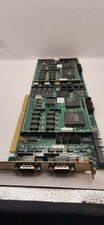
Vintage Cubix A2870 + 2x A2310 QL 2286 Video Module ISA Boards 1989 Untested
$207.92

Vintage HP 21MX 1000 M-Series Minicomputer Chassis Backplane Parts AS-IS
$325.99

Vintage Computer Keyboard Northgate OMNIKEY Ultra
$120.00

Lot of 2 Vintage Plextor PX-43CS SCSI CD-ROM Caddy Drives + 4 Caddies Used
$55.99

Original Vintage Old Style STANDARD Black CD Jewel Case (Heavy Duty) 90g Lot
$316.95
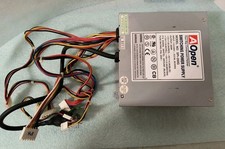
VINTAGE AOPEN MODEL SPI-200 200W AT POWER SUPPLY WITH SWITCH DS-PS-8
$34.95

VINTAGE ESS ES1868 16 BIT ISA SOUND CARD COMPAQ 247428-001 - USA SELLER RM2-SC
$24.95
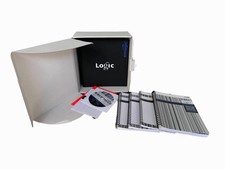
Vintage Emagic Logic 5 / Logic Audio 4.0 Studio Software Box Manuals Serial
$89.99
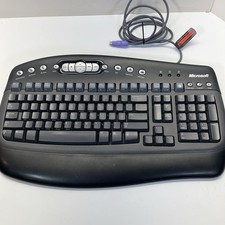
Vintage Microsoft Multimedia PS/2 Wired Computer Keyboard KB-0168 Black Tested
$26.95

Vintage Apple iMac G4 15" Lamp 700MHz 512MB Mac OS X 10.4.6 W/ Pro Speakers
$300.00



 Reply With Quote