

 Reply With Quote
You could try as root update-alternatives --config x-cursor-theme and choose the default core X cursor instead of one of the new themes.Originally Posted by CrashedAgain


How can I reset to use the old (big fat ugly) default cursor used with Knoppix 3.1? 3.2 & 3.3 changed to a smaller arrowhead style cursor & there doesn't seem to be any way to choose the old style instead. Problem is the new one is very hard to see on my laptop. Also it blanks out when moved which makes it even worse.
Thanks.
You could try as root update-alternatives --config x-cursor-theme and choose the default core X cursor instead of one of the new themes.
didn't work. I got response 'No alternatives for x-cursor-theme'
 Posting Permissions


Vintage cross Apple computer branded pen rainbow logo In original box
$100.00

Vintage Computer - PC Innovation Intel 486DX2 - Dos Ver 6.2 Windows 3.1
$250.00

Vintage Jetway J-620BF Socket 370 Celeron AT Motherboard SiS 620 Brand New
$75.00

Vintage HP Hewlett Packard 2112A 21MX 1000 M-Series 16-Bit Minicomputer
$419.99

Vintage Cherry W. Germany G80-0486H/05 Mechanical 25-Pin D-Sub Keyboard M8
$170.99
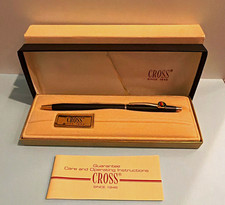
Vintage Apple computer Cross Metal Ballpoint Pen Black Ink Gold Trim
$125.00
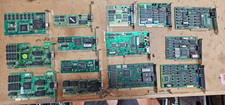
Lot 14 Vintage ISA VGA Video Cards Trident CHIPS UMC 8-Bit 16-Bit 286 386 486
$199.95
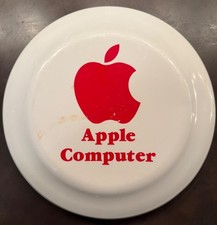
Vintage RARE 1980s Apple Computer Logo Frisbee. Great shape, w/ the usual nicks
$220.00
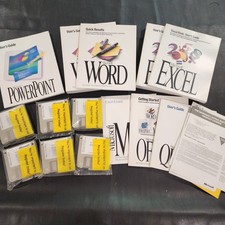
Vintage Microsoft Office 4.2 for Windows Original Floppy Disks & Manuals 1994
$119.99
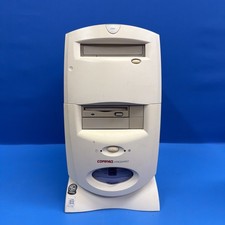
Compaq Presario 7594 Vintage Desktop PC Windows 98 SE 64MB Floppy CD-ROM
$129.00