

 Reply With Quote
There's always the ati website where you can download drivers for your card. Or, go here download the "install-radeon.sh", run the script and see if that doesn't get the driver installed for you.


Just a short question...
is it possible to activate the XFree86-DRI Support in Knoppix, or do i have to recompile the Kernel or update to a higher Version of XFree86?
My Knoppix works as Debian-HDInstall with Radeo9700Pro and Dell 1702FP TFT.
Thx'n Greetz,
Patrick
My glxinfo:
[/list]
- name of display: :0.0
Xlib: extension "XFree86-DRI" missing on display ":0.0".
display: :0 screen: 0
direct rendering: No
server glx vendor string: SGI
server glx version string: 1.2
server glx extensions:
GLX_EXT_visual_info, GLX_EXT_visual_rating, GLX_EXT_import_context
client glx vendor string: SGI
client glx version string: 1.2
client glx extensions:
GLX_EXT_visual_info, GLX_EXT_visual_rating, GLX_EXT_import_context,
GLX_ARB_get_proc_address, GLX_ARB_multisample, GLX_ATI_pixel_format_float,
GLX_ATI_render_texture
GLX extensions:
GLX_EXT_visual_info, GLX_EXT_visual_rating, GLX_EXT_import_context
OpenGL vendor string: Mesa project: www.mesa3d.org
OpenGL renderer string: Mesa GLX Indirect
OpenGL version string: 1.3 Mesa 4.0.4
OpenGL extensions:
GL_ARB_imaging, GL_ARB_multitexture, GL_ARB_texture_border_clamp,
GL_ARB_texture_cube_map, GL_ARB_texture_env_add,
GL_ARB_texture_env_combine, GL_ARB_texture_env_dot3,
GL_ARB_transpose_matrix, GL_EXT_abgr, GL_EXT_blend_color,
GL_EXT_blend_minmax, GL_EXT_blend_subtract, GL_EXT_texture_env_add,
GL_EXT_texture_env_combine, GL_EXT_texture_env_dot3,
GL_EXT_texture_lod_bias
glu version: 1.3
glu extensions:
GLU_EXT_nurbs_tessellator, GLU_EXT_object_space_tess
visual x bf lv rg d st colorbuffer ax dp st accumbuffer ms cav
id dep cl sp sz l ci b ro r g b a bf th cl r g b a ns b eat
----------------------------------------------------------------------
0x23 16 tc 1 16 0 r y . 5 6 5 0 0 16 0 0 0 0 0 1 0 None
0x24 16 tc 1 16 0 r y . 5 6 5 0 0 16 8 16 16 16 0 1 0 None
0x25 16 tc 1 16 0 r y . 5 6 5 8 0 16 8 16 16 16 16 1 0 None
0x26 16 tc 1 16 0 r . . 5 6 5 8 0 16 8 16 16 16 16 1 0 None
0x27 16 dc 1 16 0 r y . 5 6 5 0 0 16 0 0 0 0 0 1 0 None
0x28 16 dc 1 16 0 r y . 5 6 5 0 0 16 8 16 16 16 0 1 0 None
0x29 16 dc 1 16 0 r y . 5 6 5 8 0 16 8 16 16 16 16 1 0 None
0x2a 16 dc 1 16 0 r . . 5 6 5 8 0 16 8 16 16 16 16 1 0 None
There's always the ati website where you can download drivers for your card. Or, go here download the "install-radeon.sh", run the script and see if that doesn't get the driver installed for you.
Thanks a lot for your reply!
Can i take the "install-radeon.sh" from Kernel-2.4.21Version?
I use Knoppix 3.3 and Kernel 2.4.22-xfs
For now i have tried the offical way by ATI, but without a happy end
This are my Steps:
At first i downloaded the Driver from ATI.com and build a Debian Package with ALIEN:
alien -i fglrx-glc22-4.3.0-3.2.5.i586.rpm
Then i force the Package to my System with:
dpkg --force-overwrite -i fglrx-glc22_4.3.0-4.2_i386.deb
After that, i downloaded the Kernel-Sources 2.4.22-xfs for Knoppix and put it to the System in that way:
cd '/usr/src/'
tar xvjf kernel-source-2.4.22-xfs.tar.bz2
rm linux
ln -s kernel-source-2.4.22-xfs linux
cp /boot/config-2.4.22-xfs linux/.config
cd linux
make oldconfig
make dep
Now i try to compile the Kernel and get an Error-Message:
cd '/lib/modules/fglrx/build_mod/'
./make.sh
Error:
XFree86 drm includes at /lib/modules/2.4.22-xfs/build/include/../drivers/char/drm do not fit this driver.
This driver is designed to only work with X4.1.0 or higher.
You can match this by getting Linux kernel 2.4.8 or higher.
What's wrong???
Thank's for help,
Patrick
Do you have the xlibs-dev package installed?Originally Posted by Lunik3
Read the script- Kano has done more than just write a script that downloads an .rpm, converts it to a .deb and installs it. I think it's worth a shot.Wish I had a 9700Pro to test it on.
i've checked the Script in a Root-Shell without any positive results
Kanos Script means Error: No ATI RADEON adapter found.
maybe a problem of the vendor? i do not have the original build, just a hercules thing...
@Stephen
Do you have the xlibs-dev package installed?
i dont think so... is this a must for ati-driver-compiling?
i know... i should read more
me again... xlibs-dev and mesa is installed, but no changes
The error was saying you needed xfree >= 4.1 so I was thinking the dev libraries were not installed, for the no Radeon error you probably have one of those Dell altered chips that they seem to do so much of it would screw up properly working drivers you are trying to install just a hunch but I have read many posts about SB Live chips from them not working because of this so it would not suprise me at all for them to do it to the video chips as well.
I think the error-message has an error
My system is based on Knoppix 3.3 with XFree 4.3 and i do not have the Dell-Radeon. It is a "normal" build from Hercules. The ATI Website says, that the new Driver Version 3.2.5 detects also the "Powered by ATI" cards. Hmmmmbut i'm asking me: "how"? right now i have no resonance from ATI's support and i can't see any hard mistakes in my procedure. All libraries are onboard, i have recompiled the Kernel for best results with a Pentium4 and my Dell System Bios has the latest Version too. Everything works well, except the damn accelerated 3d graphics.
The installation of the Audigy2 was an joy in comparison to the Radeon.
Gtx, Pat*
i have compiled my Kernel again and now it is possible to start Kano's Script. But it ends up in a Message who means that the sources are unavailable?!
I try it later again. maybe it's just a short disturbance on her driver-servers?! hope so...
Gtx, Pat*
 Posting Permissions


Seagate ST6000NM0115 6TB 256MB 7200RPM 3.5" SATA 6.0Gb/s Enterprise Hard Drive
$159.99

Seagate 14TB Exos X14 7200RPM SATA 6Gb/s 256MB 3.5" Enterprise HDD ST14000NM0408
$354.99
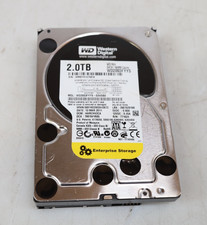
Western Digital 2TB WD2003FYYS-02W0B0 3.5" SATA 7200RPM Hard Drive
$44.99

Seagate BarraCuda ST5000LM000 5TB 5400RPM SATA III 6Gb/s 2.5" Internal Hard
$169.99

Hitachi / HGST Travelstar HTS541010B7E610 1TB 2.5" SATA III HDD
$29.99

HITACHI ULTRASTAR 2TB 7.2K 6G 3.5INCH SATA HDD HUS724020ALA640 | TESTED WIPED
$34.95
Seagate Enterprise ST6000NM0034 6TB 7.2K RPM SAS-12Gb/s 128MB 3.5"HDD (not SATA)
$69.99
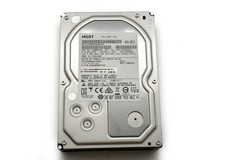
HGST Ultrastar 2TB 3.5" Enterprise SATA 7200RPM Internal HDD HUS724020ALA640
$54.99

HUS726060ALA640 HGST Ultrastar 6TB SATA 6Gbps 7.2K 3.5" Hard Drive OF21860
$129.99

New Western Digital WD40EFPX 68C6CN0 4TB 3.5" SATA III Internal NAS Red Plus HDD
$137.59

