-
Alt+F1 to bring up start menu in lxde
I've been using knoppix for a long time, and I never knew that Alt+F1 would bring up the start menu (lxde calls it the launcher).
Because I didn't know this, I've always had to plug in a mouse to get a program launched.
I've always used the windows key or CTRL+ESC under windows but this doesn't work under knoppix 9.1 lxde.
Now if I'm doing some system testing, I can just hook up a keyboard and be able to launch things.
For fun, I made a desktop entry in .config/autostart/reminder.desktop
[Desktop Entry]
Name=reminder
Type=Application
Path=/home/knoppix
Exec=notify-send "Press Alt+F1 for launcher menu"
Terminal=false
 Posting Permissions
- You may not post new threads
- You may not post replies
- You may not post attachments
- You may not edit your posts
-
Forum Rules


Macintosh Platinum Mouse - Apple 128K 512K 512Ke Mac Plus Lisa IIe M0100 - NEW
$49.99

1984 APPLE MACINTOSH 128K MATCHING # BOX Set Original Mac Model M0001 WORKS RARE
$6299.00

Apple Macintosh 128k Desktop computer. Upgraded to 512k
$300.00

1984 APPLE MACINTOSH 128K FIRST MAC Model M0001 PICASSO KIT Discs Harvard Rare
$1800.00

Vintage Apple Macintosh 128K 512K Carrying Case Rainbow Logo Excellent Cond
$140.00
Macintosh Platinum Mouse - Apple 128K 512K 512Ke Mac Plus Lisa IIe M0100 - NEW
$59.99

Apple Keyboard and Cable for Macintosh 128k 512k Mac Plus RARE Vintage M0110
$129.99
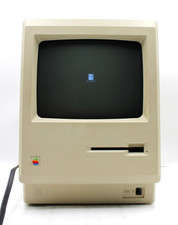
Apple Macintosh 128K Computer M0001 *TESTED FOR POWER*
$349.99

Apple Macintosh Mac 128k - 512k Boot / Diagnostics 2 Disk Set for Classic Macs
$14.99

Apple Keyboard for Macintosh 128k 512k Mac Plus RARE Vintage M0110 (010)
$149.00



 Reply With Quote