

 Reply With Quote
fb1280x1024 xmodule=nv screen=1280x1024
According to a post by marciano that works on a 1900FP. Who knows- it might work for you too.


Hi Everyone,
I have a Compaq Presario 1800T, been enjoying knoppix on it for about three months w/o problem. I just got a new Dell 1800FP LCD though, and cannot get them to work together with Linux (does work w/ windows, so not hardware).
I *suspect* part of the problem is that I'm trying to use it at 1280x1024, which I do not believe my 15" laptop display supports - though the video card does. I've tried various boot cheat codes, most ending in a blank display on both LCDs, or with the message:
The following list of lines are cheat code combinations I've attempted, which resulted in the above error set.Code:starting single x-window session for user knoppix. Please stand by a few seconds while the optimal configuration is being determined. starting x11... Retrying with server xfree86(vesa) Retrying with server xfree86(fbdev) Error: no suitable x-server found for your card
I've tried the above codes without the 'knoppix' and only fb1280x1024, but recieved blank LCDs in return, and no luck.Code:knoppix screen=1280x1024 vsync=60 xmodule=ati knoppix screen=1280x1024 vsync=60 xmodule=ati noddc knoppix fb1280x1024 screen=1280x1024 vsync=60 xmodule=ati
(update)I have since had two partial successes - a display, but only at 640x480. My problem above was assuming that the xmodule ati was the correct one. Leaving it out, it was able to work with vesa - at the lower resolution. I've tried both the *knoppix* and *knoppix-txt* kernels, with the same results.(/update)
I would very much appreciate any ideas, help, advice. Thank You,
Paul
fb1280x1024 xmodule=nv screen=1280x1024
According to a post by marciano that works on a 1900FP. Who knows- it might work for you too.
That post actually got me to try the knoppix-txt kernel, which gave some limited success at 640x480.Originally Posted by rickenbacherus
I believe I have an ATI card, but I tried your suggestion anyway. The display was blank, so I then tried it with xmodule=fbdev, and again a blank display. I also tried a 3rd time after adding the noddc option - which in past attempts has gotten me something, but still nothing.Code:knoppix-txt vsync=60 screen=1280x1024 noddc
The best luck I've had so far is:
That resulted in a display of 1024x768 - a lot better than 640x480, but still not what I want. Anything in xmodule besides fbdev doesn't seem to work, even though this is supposed to be a *Rage mobility M3 AGP 2x* - apparently not supported directly yet.Code:knoppix vsync=60 screen=1280x1024 noddc xmodule=fbdev
I've been trying a number of the cheat codes, but anytime I use the fb1280x1024 kernels I get a uniformly blank display.
Thanks for the help.
 Posting Permissions


USB Type-A Flash Drive Metal Memory Stick High Speed USB Drive 128GB 256GB 512GB
$8.47
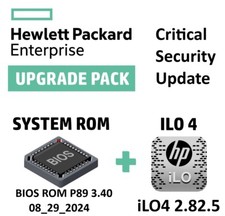
Critical BIOS ROM HPE ProLiant DL60 DL80 Gen9 (U15) U15_3.40_08_29_2024+iLO4
$7.99

2021 Full Version Office Professional Plus for 1 PC Flash USB Drive
$59.99

Critical BIOS ROM HPE ProLiant DL160 DL180 Gen9 (U20) U20_3.40_08_29_2024+iLO4
$7.99

Kingston 32GB 64GB 128GB 256GB USB 3.0 Flash Drive Thumb Memory Stick Pen lot
$285.90
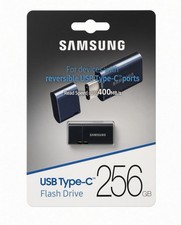
NEW Samsung USB Type-C 256GB Flash Drive USB 3.2 Gen 1 Genuine OEM -MUF-256DA/AM
$55.99

1/ 10/ 100pcs USB 2.0 2GB, 4GB ,8GB ,16GB ,32GB ,64GB 128GB USB Flash Drives Lot
$179.10
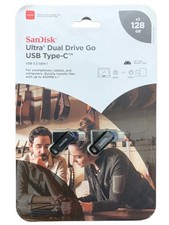
SanDisk Ultra Dual Drive Go USB Type-C Flash Drive 2-Pack, USB 3.2 Gen 1, 128GB
$19.75

Critical BIOS ROM HPE ProLiant BL460cWS46 Gen9 (I36) I36_3.40_08_29_2024+iLO4
$7.99

Critical BIOS ROM HPE ProLiant DL560 Gen9 (P85) P85_3.40_08_29_2024+iLO4
$7.99