

 Reply With Quote
fb1280x1024 xmodule=nv screen=1280x1024
According to a post by marciano that works on a 1900FP. Who knows- it might work for you too.


Hi Everyone,
I have a Compaq Presario 1800T, been enjoying knoppix on it for about three months w/o problem. I just got a new Dell 1800FP LCD though, and cannot get them to work together with Linux (does work w/ windows, so not hardware).
I *suspect* part of the problem is that I'm trying to use it at 1280x1024, which I do not believe my 15" laptop display supports - though the video card does. I've tried various boot cheat codes, most ending in a blank display on both LCDs, or with the message:
The following list of lines are cheat code combinations I've attempted, which resulted in the above error set.Code:starting single x-window session for user knoppix. Please stand by a few seconds while the optimal configuration is being determined. starting x11... Retrying with server xfree86(vesa) Retrying with server xfree86(fbdev) Error: no suitable x-server found for your card
I've tried the above codes without the 'knoppix' and only fb1280x1024, but recieved blank LCDs in return, and no luck.Code:knoppix screen=1280x1024 vsync=60 xmodule=ati knoppix screen=1280x1024 vsync=60 xmodule=ati noddc knoppix fb1280x1024 screen=1280x1024 vsync=60 xmodule=ati
(update)I have since had two partial successes - a display, but only at 640x480. My problem above was assuming that the xmodule ati was the correct one. Leaving it out, it was able to work with vesa - at the lower resolution. I've tried both the *knoppix* and *knoppix-txt* kernels, with the same results.(/update)
I would very much appreciate any ideas, help, advice. Thank You,
Paul
fb1280x1024 xmodule=nv screen=1280x1024
According to a post by marciano that works on a 1900FP. Who knows- it might work for you too.
That post actually got me to try the knoppix-txt kernel, which gave some limited success at 640x480.Originally Posted by rickenbacherus
I believe I have an ATI card, but I tried your suggestion anyway. The display was blank, so I then tried it with xmodule=fbdev, and again a blank display. I also tried a 3rd time after adding the noddc option - which in past attempts has gotten me something, but still nothing.Code:knoppix-txt vsync=60 screen=1280x1024 noddc
The best luck I've had so far is:
That resulted in a display of 1024x768 - a lot better than 640x480, but still not what I want. Anything in xmodule besides fbdev doesn't seem to work, even though this is supposed to be a *Rage mobility M3 AGP 2x* - apparently not supported directly yet.Code:knoppix vsync=60 screen=1280x1024 noddc xmodule=fbdev
I've been trying a number of the cheat codes, but anytime I use the fb1280x1024 kernels I get a uniformly blank display.
Thanks for the help.
 Posting Permissions


🔀 Juniper Networks EX2300-C-12P 12× Gigabit PoE+ • 2× 10G SFP+ Compact Switch ⚡
$119.00

Juniper EX2300 12-Port Gigabit PoE+ Managed Network Switch P/N: EX2300-C-12P
$149.99

Juniper Networks EX2300-48P 48-Port Gigabit PoE Managed Ethernet Switch
$79.99
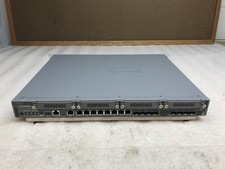
Juniper Networks SRX340 16x1GbE Ports Service Gateway Security Appliance W/ Ears
$79.99

Juniper SRX320 8-Port Security Services Gateway Appliance w/ AC Adapter
$59.99

New Sealed Juniper EX4100-F-12P 12x 1GbE PoE 2x 10GbE uplinks 1 Year Warranty
$895.00

Juniper EX3400-48T-AFI Ethernet Network Switch 48x1GbE 4x10GbE SFP+ 2x40GbE QSFP
$139.00

Juniper AP47 Mist Wi-Fi 7 802.11 6GHz 4x4 Wireless Access Point (NEW)
$949.99

JUNIPER NETWORKS MIST AI AP63-US HIGH PERFORMANCE OUTDOOR ACCESS POINT - WHITE
$59.99
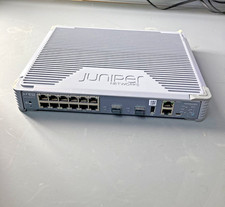
Juniper EX2300 Unclaimed 12-Port Gigabit Switch EX2300-C-12T
$249.99