

 Reply With Quote
' ifconfig ' displays the current interfaces.
' netcardconfig ' configures your network settings.
' pppoeconf ' sets up your DSL.
Originally Posted by jnoblesr


I am going to try this tonight, thanks for the new cheat code.
I am using direcway 2-way satellite for my internet provider. Knoppix does not see the onboard network interface but I can get online using windows. Where do I go to detect the motherboard network interface once Knoppix is running? Everything I have tried tells me - no network card detected. I know this is because one is not installed, just the one on the motherboard. Any way to add this like the windows add/remove hardware?
Knoppix is great! I can't wait to buy another hard drive and load it in for good.
thanks, john
' ifconfig ' displays the current interfaces.
' netcardconfig ' configures your network settings.
' pppoeconf ' sets up your DSL.
 Posting Permissions


Intel Core i7-3770K 3.5 GHz Processor
$39.00
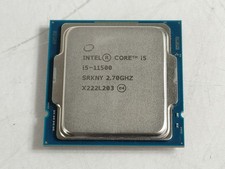
Intel Core i5-11500 2.70 GHz LGA 1200 Desktop CPU Processor SRKNY
$94.99
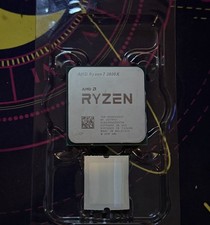
AMD Ryzen 7 3800X Processor (3.9GHz, 8 Cores, Socket AM4) Boxed -...
$95.00
Intel Core i9-13900K Processor (5.8 GHz, 24 Cores, LGA 1700)
$320.00
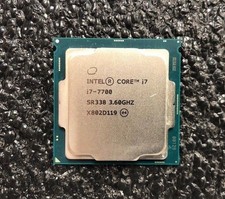
Intel Core i7-7700 Kaby Lake Quad-Core 3.6 GHz Processor LGA 1151
$39.99

Intel i7-8700 Coffee Lake 3.2GHz 6-Core Max Turbo 4.6GHz Processor
$69.99

Intel Core i7-7700T 2.9GHz 8MB Socket LGA1151 Quad Core Processor SR339
$39.99
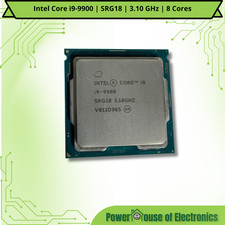
Intel Core i9-9900 | SRG18 | 3.10 GHz | 8 Cores | LOT OF 10
$1505.77
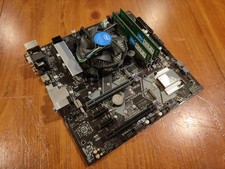
COMBO: ASUS Prime H370M-PLUS MOTHERBOARD + i5-9400F CPU /w Heatsink + 16GB DDR4
$169.95

Corsair RM750e 750W Fully Modular 80 Plus Gold ATX 3.1 PSU Certified Refurbished
$44.99