

 Reply With Quote
get one that can be recognized such as some prism-2/3 based card or orinoco. The card you have may be based on a Broadcom chip which there is no linux support. something is hacking it but it is an iffy land.


First off, forgive me.
I know that since knoppix is becoming popular, you are probably answering the same questions over and over, and I know its a pain. I did a search on wireless and this adapter, and it seems to everyone knoppix just recognized it no problem.
I have knoppix 3.2, and am booting from the cd.
I know nothing about it. I boot up, try a website, nothing. Go to the knoppix folder on the menu, and go to network, and theirs something to the effect of wificard. Not sure the name, when I click on it, it says no wireless card detected.
Please give me some step by step instructions, or a walk through, I couldn't find it in the docs on the main page. Treat me like a child if you want, it won't hurt my feelings.
get one that can be recognized such as some prism-2/3 based card or orinoco. The card you have may be based on a Broadcom chip which there is no linux support. something is hacking it but it is an iffy land.
What I am after is a way to make this usb adapter work. Not answering it by purchasing new equipment, if at all possible. Thanks anyway however.
It would be easier to answer your question if you tell us what USB-WLAN-adapter you have.
Search this site for WUSB12. You'll find some hints.
Also go to file /usr/share/doc/linux-wlan-ng/README.Debian.gz.
This will explain the settings for the network interfaces file.
Mind you, this driver only works for version 2.5 of the Prism chip.
Some newer Linksys USB adapters use a different chip.
But I managed to get my WUSB12 working using these instructions.
The WUSB11 also uses the Prism 2.5 chips and same drivers, I've read.
Unfortunately, I had to do a hard drive install to make these changes.
When I tried to edit the files indicated in the instructions, I could not
do so on the CD. But I'm new at this too, so maybe you'll figure
out how to do that. I wanted a hard drive Debian install anyway.
Thanks for the response Phill. My wusb11 is ver 2.6 according to the sticker on the bottom.
I did find these amtel drivers someone recommended earlier.
http://lists.linux-wlan.com/pipermai...ry/008912.html
I tried the drivers, what I done is copied them from my windows partition to my desktop, opened a terminal, and in the readme it said to type "make config" I did that and it said I do not have permission. I did "su" and tried it as root. Same thing. Maybe I can't install the drivers because I am only booting from the cd?
Also, if I am going to do a Hdd install, do you think it would be better to just use Red Hat?
phillfri,Originally Posted by phillfri
I got my wusb12 working some time ago, but was never able to get encryption working. Were you able to enable it? It would be nice if the wusb12 was auto configured in Knoppix.
 Posting Permissions


Dell PowerEdge FX2s + 8x FC430 Blades 16x E5-2630v4 160 Cores Rails No PSU/RAM
$699.00

Dell PowerEdge FC430 Blade Server 2x Xeon E5-2630v4 20 Cores FX2 FX2s No RAM/HDD
$119.99

Dell PowerEdge M640 Blade Barebone Server Dell P/N: HHB006 Tested Working
$149.99

NETAPP HCI NAF-1701 SuperMicro Server 4X BLADE H410C 8X GOLD 5120 4 NODE SERVER
$1499.97
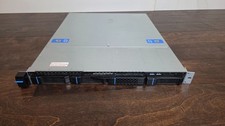
Datto S3P6000 4x 3.5" 1U Blade Rack Server Intel Xeon D-1541 @2.10GHz 48GB DDR4
$149.95
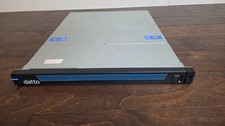
Datto S3P1000 4x 3.5" 1U Blade Rack Server Intel Xeon D-1541 @2.10GHz 16GB DDR4
$139.95

Dell PowerEdge M630 Blade Server 2x Xeon E5-2680 v4, 2F3MP , 4GDP5 ,R10KJ ,JVFVR
$95.20

Dell PowerEdge VRTX 2.5"x25 Bay Blade Enclosure 4x1600W + 4X M640 (4X Blades)
$1599.99

Dell PowerEdge M620 Blade Server 2x Xeon E5-2680v2 2.8ghz 20-Cores | 128GB
$149.99

Dell Poweredge VRTX 25Bay 2.5" 2x PERC 8, 2xCMC, I/O 1GB Pass Through, 4x PS
$578.08