
I got Knoppix 3.2 and got a problem with my HP ScanJet 3400C scanner.
Kooka can't reconize it.
How can I install / configure my scanner?


I got Knoppix 3.2 and got a problem with my HP ScanJet 3400C scanner.
Kooka can't reconize it.
How can I install / configure my scanner?
This is actually a more common problem than you might think. The work needed depends on the scanner. In this case you'd probably want to take a look at searching for a HP how-to on the net to see what the specifics for your model would be. However, I have had some experience with a similar HP ScanJet model #, and if you care to cross your fingers and give something a try, here's a shot:
It all revolves around SANE (Scanner Access Now Easy)
edit /etc/sane.d/hp.conf (do this as root, since you'll ahve to be able to save your changes)
at the bottom of the file, uncomment (read: remove the pound signs (#)) from these lines:
/dev/usb/scanner0
option connect-device
save the file, cross your finger and give Kooka another try. IFF (if and only if) you have a Knoppix HD install, you can try a reboot of your Debian system (since that's what it really is). Sometimes, some (usually smartcard and other alternate media readers) usb devices really do need a system reboot.... Even Linux, the beautiful beast that it is, isn't immune to the need all the time. And I challenge anyone who wants to start flamming me here to go get a Dazzle smartcard reader to try first.
Good luck.
Civ
Thank you for the NICE instructions!! These worked for me
Deleting the '#' characters on the last two lines of the file /etc/sane.d/hp.conf
dev/usb/scanner0
option connect-device
This found my HP5300C scanner ( after I realized to plug in the 110V AC power wall wart. Opps have not used the HP5300C scanner since I installed Knoppix 3.2 06-27-2003 english version a few months ago when WIN98 crashed on this computer.
Gave KooKa a try on a Konsole / or Rxvt shell.
#kooka
Wahoo! it identified and found my HP5300C scanner. I clicked make this selection HP5300C automatically. I did a test scan. I did a test gocr image scan. This is cool. I can use my scanner again, without XP or WIN98
Thank you so much!! Knoppix is really cool
I did do the KDE 3 upgrade just a 1/2 hour ago. Do a search on KDE3 in these forums
I let apt-get delete ALL the KDE3 packages
I used this procedure to replace the DELETED KDE3 packages
http://www.knoppix.net/forum/viewtopic.php?t=5156#24016
Thank you Baldyeti
Anybody have KINO_0.6.4 version working?
Fred Finster
Thnx , I'm going to try it. But is this only for USB scanners? I got problems with my scanner when I connect it on a USB port in Win98SE. I use a parallel cable for my scanner.
And how do I login as root?
It's not working...
Can someone help me please to get my HP scanner working in Knoppix.
I connect it with a parallel-cable.
I happen to have a hp scanjet 3400c as well, and the last time I checked the SANE site, it said it wasn't (yet) supported. So maybe you will have to wait until a new SANE version appears that does support it and that is implemented in knoppix.
 Posting Permissions


IBM System X3850-X5 Server w/4x Intel Xeon E7-4870 CPU , 512 GB DDR3 RAM,NO HDD
$1299.99

IBM QRadar xx29 2x Xeon E5-2650v4 2x 900W PSU M5120 12x 3.5" Bay Server No RAM
$149.99

IBM ADP Server Type 7870 AC1 NO HDD | 128GB RAM PC3L | 2 x Xeon E5620
$199.99

Unused IBM 09P0037 MAINBOARD For RS/6000 7044-170 P-Series
$375.00

IBM SYSTEM X3500 M3 SERVER 7380AC1 TOWER Server XEON E5620 8GB RAID SEE NOTES
$108.92

IBM Power S824 12Bay 4U Server - 2x Power8 CPU, 512GB DDR4, MT: 8286-42A
$1731.00
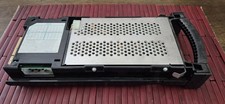
IBM SERVER SLED WITH HDD SCSI 8.8GB ,P005043441, AS IS,UNTESTED
$165.00

IBM 02YC027 Seagate ST2400MM0129 2.4TB 10K SAS 12Gb/s 2.5" Server Hard Drive
$200.00
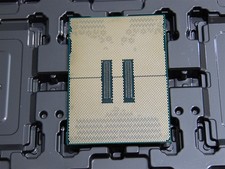
DELL POWEREDGE HP IBM SERVER XEON GOLD 5415+ 8 CORE PROCESSOR 2.9 GHZ SRMGC
$1299.00

IBM 7915 AC1 M4 E27R704 Server Intel 2650V2 32GB RAM NO HDD w/ 2x 750w PSU
$250.00

 Reply With Quote