-
Junior Member
registered user
tohd=/dev/hda1 to FAT32 then copy to NTFS then use fromhd?
Would the following work??
1. Use the tohd=/dev/hda1 to get the compressed Knoppix image written to a FAT32 partition.
2. Copy this compressed Knoppix image file to an NTFS partition. Using Bill's Windows
3. Then boot with fromhd=/dev/hda1 using the boot image file previously copied to the NTFS partition in step 2 above.
If the compressed Knoppix image is already on the NTFS partition will the fromhd=/dev/hda1 boot option work?
What will happen if a person used the tohd=/dev/hda1 boot option if /dev/hda1 were a NTFS partition? Will it give you a warning Will Robinson error message? or what?
I would like to get the compressed Knoppix boot image installed onto my NTFS drive at home then boot using the fromhd boot option for faster boots.
Thanks Much In Advance for any help
Ron
-
i read somewhere that it won't boot if it's on a ntfs partition, so i haven't tried
-
Senior Member
registered user
Re: tohd=/dev/hda1 to FAT32 then copy to NTFS then use fromh

Originally Posted by
rrolsbe
Would the following work??
1. Use the tohd=/dev/hda1 to get the compressed Knoppix image written to a FAT32 partition.
2. Copy this compressed Knoppix image file to an NTFS partition. Using Bill's Windows
3. Then boot with fromhd=/dev/hda1 using the boot image file previously copied to the NTFS partition in step 2 above.
why steps 1 and 2 ?
only
Use windows. Copy your knoppix cd folder \KNOPPIX to NTFS partition
3. Then boot with fromhd=/dev/hda1
-
Senior Member
registered user
Re: tohd=/dev/hda1 to FAT32 then copy to NTFS then use fromh
Originally Posted by
oscar
Originally Posted by
rrolsbe
Would the following work??
1. Use the tohd=/dev/hda1 to get the compressed Knoppix image written to a FAT32 partition.
2. Copy this compressed Knoppix image file to an NTFS partition. Using Bill's Windows
3. Then boot with fromhd=/dev/hda1 using the boot image file previously copied to the NTFS partition in step 2 above.
why steps 1 and 2 ?
only
Use windows. Copy your knoppix cd folder \KNOPPIX to NTFS partition
3. Then boot with fromhd=/dev/hda1
Unless the new KNOPPIX has been changed, booting from NTFS is impossible with the stock kernel 2.4 NTFS driver.
Similar Threads
-
By ajass2 in forum General Support
Replies: 2
Last Post: 01-04-2005, 06:07 PM
-
By franz29 in forum Hardware & Booting
Replies: 4
Last Post: 01-02-2005, 06:19 PM
-
By siddharth in forum General Support
Replies: 10
Last Post: 08-05-2004, 09:01 AM
-
By ZeroOne in forum General Support
Replies: 0
Last Post: 07-05-2004, 02:11 AM
-
By BlackDwarf in forum General Support
Replies: 5
Last Post: 10-02-2003, 08:50 AM
 Posting Permissions
- You may not post new threads
- You may not post replies
- You may not post attachments
- You may not edit your posts
-
Forum Rules


Kingston 32GB 64GB 128GB 256GB USB 3.0 Flash Drive Thumb Memory Stick Pen lot
$285.90

SanDisk Ultra Luxe USB 3.1 Flash Drive – 5 Pack | Premium Metal USB Flash Drives
$39.99

TESLA OEM Model S,3,X,Y USB Flash Drive for Dashcam 128GB READ DESCRIPTION BELOW
$21.00

LOT 10x SanDisk 32GB ULTRA USB 3.0 flash drive SDCZ48-032G 32 GB read 100 MB/s
$39.80

USB 3.0 Flash Drive 32GB 64GB 128GB Memory Stick Thumb Stick Lot Pack
$826.09

Sandisk 16GB 32GB 64GB 128GB Cruzer Blade Flash Drive Memory Stick USB Lot Pack
$88.90

USB Type-A Flash Drive Metal Memory Stick High Speed USB Drive 128GB 256GB 512GB
$7.97
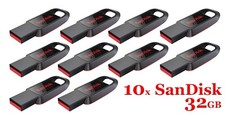
LOT 10x SanDisk 32GB Cruzer Spark USB 2.0 flash drive 32 GB SDCZ61-032G 32G
$34.80

Bootable USB for Non-Booting PC – Diagnostics, Startup Repair & File Access Tool
$19.99
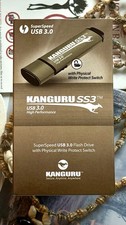
Kanguru KF3WP-64G USB Flash Drive with Write Protection Switch
$62.00



 Reply With Quote