-
Instant GPRS on yr Laptop/PC
Instant GPRS on yr Laptop/PC
MustHaves:
Knoppix 3.4
USB BlueTooth Adapter
BlueTooth Device (SmartPhone/PDA)
GPRS Provider
Connect yr BT USB dongle, (I use MSI BToes)
Boot laptop/pc using Knoppix 3.4
After knoppix is up and running,
Click on the penguin Icon on the taskbar (Knoppix Root)
Network/Internet -->GPRS connection
First Knoppix will configure yr modem/CellPhone (I use Nokia6600)
Click YES;
Select bluetooth: Bluetooth wireless device (i.e cellphone/PDA)
Click OK;
Knoppix then will then Scan for your BT Device.
Click OK if it manage to detect yr BT Device
Then it will prompt a default password = 1234
Click OK;
Set this device to be yr Modem.
Click YES;
Now select your GPRS Provider
Browse to the bottom
Click other: (INIT-String)
Click OK;
Modify the GPRS Provider-String
For Celcom - change "internet" to "CELCOM" (USE UPPERCASE)
(Celcom is my GPRS Provider)
Click OK;
Then a warning regarding GPRS charges will pop-up.
Click YES;
Yr BT Device will then ask for "Passcode for Knoppix-0:"
Key-in any password
Click OK on yr BT Device
Yr Laptop/PC will then ask for a BT Pin,
Key-in the same password
Click OK;
Yr BT Device will then ask for approval to:
Accept connection request from Knoppix-0
(This step will be skipped if Knoppix-0 is already 'Set as authorised' in yr BT device)
Click YES on yr BT Device.
Voila..
Your laptop/pc is connected to internet via GPRS
FaRiS
09/08/2004
Download Article
-
Hi!
I have a problem with laptops:
I already used the same procedure as you on different desktop-PCs with a Nokia 3650 and it did work,
but on te two laptops wich i tried (Asus L3000D and Acer TM 345T) it did not work completely: it starts correctly but after a while it hangs.
I don't think it is a problem of lcp-echo, because I commented out the two lines lcp-echo####, it seems like the problem affected the communication through the usb with the bluetooth device (chip CSR, a Roper ROBTC2-USB), and after it hangs, the GPRS connection on the phone still remains on, and if I try to restart GPRS connection, PPPD restarts, but it does not even try to re-establish the GPRS connection.
I hope you or someone else on the forum still had and solved this problem, but I did not found any solution with the search feature of the site.
Bruno
-

Originally Posted by
br1-69
Hi!
it starts correctly but after a while it hangs.
set
lcp-echo-interval 0
and
lcp-echo-failure 0
in your /etc/ppp/options
and it should work.
Similar Threads
-
By eadix in forum Networking
Replies: 1
Last Post: 06-23-2005, 05:40 PM
-
By eadix in forum Networking
Replies: 0
Last Post: 04-14-2005, 06:44 PM
-
By SilverFox7331 in forum General Support
Replies: 2
Last Post: 10-20-2004, 03:32 PM
-
By ffman in forum Networking
Replies: 0
Last Post: 12-06-2003, 11:24 AM
-
Replies: 5
Last Post: 05-24-2003, 02:00 PM
 Posting Permissions
- You may not post new threads
- You may not post replies
- You may not post attachments
- You may not edit your posts
-
Forum Rules


(New) AMD Ryzen 7 5700X 8 Core 16 Thread AM4 Unlocked 3.4 GHz CPU OEM Tray
$169.99

AMD Ryzen 7 7700X 8-Core, 16-Thread Unlocked Desktop Processor
$250.00

Intel Core i9-9900K SRG19 3.60GHz 16MB 8-Core LGA1151 B Grade CPU Processor
$175.00

DELL OPTIPLEX 3280 21.5" AIO Core i5 10500T 8GB 256GB NVMe Windows 11 -NO STAND
$179.99
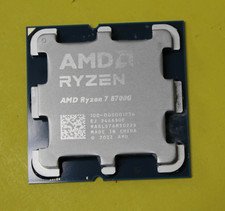
AMD Ryzen 7 8700G 8-Core 16-Thread Radeon 780M LGA 1718 4.2GHz Desktop Processor
$169.97

AMD Ryzen 5 PRO 4650GE 100-000000153 6-Core 3.30GHz 8MB AM4 CPU Processor
$59.99

Intel Xeon E5 - 2667V2 / SR19W 3.30GHz 25MB 8-Core CPU Socket LGA2011
$30.00
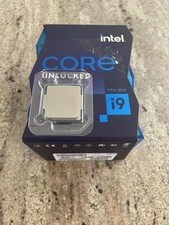
Intel Core i9-11900K Unlocked 8-Core 3.5 GHz UP To 5.3 GHz🚀 LGA 1200 Processor
$250.00

Home Assistant Server | 8GB RAM | 128GB SSD | Intel i5 Quad-Core | Dell OptiPlex
$159.99

AMD Ryzen 7 9800X3D 8-Core AM5 Desktop Processor 5.2GHz MPN 100-100001084WOF
$385.00



 Reply With Quote