

 Reply With Quote
If you are not going to make this a HD install, you are going to have to remaster knoppix with those options.


I'm really pleased with Knoppix, this is as far as I 've ever made it with Linux and I can see me ditching Windows sooooooon. (Dual boot at present). With the help of this forum I've been able to set Knoppix up for what I need, but not make the changes permanent so I have to manually put the commands in each session!
I appreciate that there are text files to make these changes permanent, just not where they are, or where is the correct place when you have a choice..... It's just for the one user (me) at the moment but system-wide is also fine.
I have downloaded and printed the 229 page 'Debian Reference' manual, but until I've read that..... anyone know where to add these changes so they are loaded at boot? Many thanks, Stuart.....
1). Enable DMA on for hardrives and CD/DVD-ROM drives ('/sbin/hdparm -qd1 /dev/hdx') and turn buffers on.
2). Enable read-write on all mounted volumes ('mount -o remount,rw /dev/hdx')
3). Automatically run Arno's IPtables-Firewall script, to setup 'ICS' (maquerading and NAT). ('/etc/rc.d/rc.iptables start')
Some other things I haven't been able to do (yet?) include importing my 1000s of emails from Outlook Express 6, 'print' to my plotter in hpgl (no ideas on that one!) and scanning.
(The list of things I can do is growing all the time, (like being able to install packages!!!) - but this is a long enough post already!
Stuart.....)
If you are not going to make this a HD install, you are going to have to remaster knoppix with those options.
It is a hard-disc install, you'll scare a newbie (me) using big words like 'remaster'!!!!
Thanks, Stu.....
Oh, another one I noticed, have 'cups' run automatically in a new session.
Cheers, Stu.....
Add these lines to /etc/init.d/bootmisc.sh:Originally Posted by stukennedyuk
Code:# Added by me for DMA /sbin/hdparm -qd1 /dev/hdx /sbin/hdparm -qd1 /dev/hdx # Added by me for firewall if [ -r /etc/rc.d/rc.iptables ]; then . /etc/rc.d/rc.iptables fiPost your /etc/fstab so I can see the permissions when mounted generally you would want rw in the line instead of ro. Not sure about the rest.2). Enable read-write on all mounted volumes ('mount -o remount,rw /dev/hdx')
It seems to ignore my entries. bootmisc.sh has other stuff in it, so it must do something. When does bootmisc.sh get run? Is it early in the boot sequence, could these settings get overwritten by the autoconfiguration, just after?
Stu.....
Auto-configuration?? How did you install with the knx-hdinstall or the new knoppix-installer if the new which mode debian or knoppix? AFAIK the bootmisc.sh is one of the last scripts run nothing should be overriding it.
You need to make the changes as root. That should be the only thing keeping the changes from sticking.
Okay-dokey, I've done some reading. (Debian reference manual) It will be a while before I understand it though!
This is how it works.....
Linux boots by running 'init' - the config file for 'init' (/etc/initab) specifies that the first script to run should be /etc/init.d/rcS which runs all of the scripts in /etc/rcS.d/ ('d' for directory?) - in alphanumeric order. This is where Klaus has put his clever autoconfig script, S00knoppix-autoconfig - the one that checks what hardware is being used and writes the correct config entries.
If you view this script, you can pick up bits that can be recognised by the messages appearing during boot, e.g. 'running from HD, regenerate....' and 'processor 0 is.....' and so on.
At some point the scripts in the appropriate run level directory are run, e.g. /etc/rc5.d for run level (init level?) '5' - I think this is the best place for me to add a script that overrides the autodetected values. It seems a bit perverse to do it this way, autodetect then overwrite, but it should work? I'll try later.
Just thought I'd share this with you!
Stu.....
 Posting Permissions

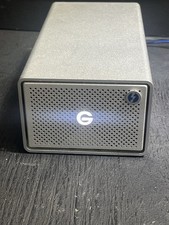
G-Technology G-RAID 24TB Dual-Drive External HDD TB3 USB 3.1 7200RPM Silver
$299.99

Broadcom 9600-24i RAID Controller PCIe Gen 4.1 Tri-Mode NEW 05-50111-01004
$649.99

EMC KTN-SL3 15-Bay Disk Array Enclosure w/2x 303-108-000E Cards, Dual PSU,No HDD
$239.99

Intel VROC Premium RAID Controller Card PCIe Add-On Module VROCPREMMOD
$265.00
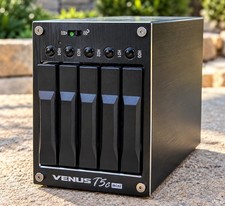
AMS VENUS T5C Mini DS-2250C 5-Bay 2.5” SATA RAID USB 3.0 eSATA
$129.99

MegaRAID 9580-8i8e 16-port 12G SAS/SATA/NVMe 8GB PCIe RAID - 05-50076-00
$1619.19

Broadcom LSI 9305-16i 12Gbps SAS-3 PCIe x8 HBA 16-Ports Raid Controller
$64.99

Dell PowerEdge HBA330 LP PCI-E 12GBs RAID SAS Controller Adapter J7TNV
$18.95

OWC Mercury Elite Pro 2 Bay RAID Enclosure with USB 3.2 for Dual 3.5 inch HDDs
$87.99

Areca ARC-1882IX-24 (16i4e)24-Port RAID Controller Card w/BBU /HDD Monitor Board
$300.00
