-
Junior Member
registered user
Minimum Space for HDD Install?
Hi, I'm thinking about installing Knoppix into a partition formerly occupied by Mandrake. Here's my partition scheme:
hda1: 7.7 GB (Win98 FAT32)
hda2: 2.7 GB (ReiserFS RH9)
hda3: 256 MB (Linux Swap)
hda4: 2.0 GB (XFS MDK 9)
Will Knoppix 3.3 fit on hda4? I know the CD contains 1800 MB of data uncompressed, but I read somewhere that 2.2 or 3 GB are needed for an HD install. I really can't resize my other OS partitions, and besides my common swap partition is between hda2 and hda4 (oops), so it wouldn't do any good to resize hda2. I do have 3.8 GB of free space on hda1, and 400 MB on hda2. Any ideas? Thanks a lot!
-
Senior Member
registered user
Re: Minimum Space for HDD Install?
asaik the new knoppix-installer check for a minimum size partition of 2.2gig.
I have edited the old knx-hdinstall script for use on mini cd's and that script is still included on knoppix in /usr/local/bin
Just look for the live about FS=2200 and change it to 2000 or so and hope for the best.I think I changed 3 lines in that aera.
You can then run the edited installer from the ramdisk.
Why not try qtparted and make a little mose space.
If you install full Knoppix on only 2gig you better nuke libarts1 (kills kde) or at least apt-get remove kde-i18n* and install then run localepurge and make some room.I got it down to 200meg with X for the final iso size and I am writing this now chrooted to ram on a pure sid console edition thats 54meg uncompressed and 20meg compressed 
tech2k
-
Junior Member
registered user
Thanks for the help! Do you know if there's a config file for knoppix-installer that I can edit similarly? Or, is there a way to customise which packages are installed onto the HDD?
-
Senior Member
registered user

Originally Posted by
sb73542
Thanks for the help! Do you know if there's a config file for knoppix-installer that I can edit similarly? Or, is there a way to customise which packages are installed onto the HDD?
Fabian has said many times that you just run the installer and create a config (step 1 i think) then exit and edit that config so get riserfs,say no to kdm and what-not.I have only used that installer once and it was on 7-26 knoppix and when i didnt get the chioce to boot to cli (say no to kdm) I went back to the old installer.I am not sure where the new installer saves the config but it can be done 
As for customizing the package selection..no you just have to install it all and nuke what you dont want afaik.Thats another advantage of debootstraping and building what u want in the first place and later I may try and take my sid+knx scripts and make an installer like the gentoo stages but you pick a kernel and a testing or sid base (woody is just to old) and it installs that with some custom pkgs u select then upgrade or as another option it will go online and debootstrap the latest base to start with...so many things to do.thats one of my plans anyway but for now im just building new modules and perfecting the live cd part.
Good luck
-
Senior Member
registered user
Originally Posted by
Tech2k
I am not sure where the new installer saves the config but it can be done
That has been my problem...not being able to find the .knofig (or whatever it's called) file.
-
Senior Member
registered user
Originally Posted by
aay
Originally Posted by
Tech2k
I am not sure where the new installer saves the config but it can be done
That has been my problem...not being able to find the .knofig (or whatever it's called) file.
That's what it is called it should have been created in the directory that you executed the knoppix-installer script from and saved the configuration.
-
Senior Member
registered user
[quote="Stephen"]
Originally Posted by
aay
That's what it is called it should have been created in the directory that you executed the knoppix-installer script from and saved the configuration.
I think the saving step is the key. I thought saving was necessary only if you wanted to use the config on other installs. Now I realize that unless you do this it wont be able to see the config options and tweak them.
Thanks.
Similar Threads
-
By mjoolnir in forum Customising & Remastering
Replies: 3
Last Post: 05-02-2005, 04:49 PM
-
By pstroka_taran in forum Laptops
Replies: 2
Last Post: 10-24-2004, 06:42 AM
-
By Gromit in forum Customising & Remastering
Replies: 1
Last Post: 10-19-2004, 11:31 PM
-
By Dacicus in forum MS Windows & New to Linux
Replies: 1
Last Post: 10-12-2004, 08:58 AM
-
By Steve F in forum Customising & Remastering
Replies: 2
Last Post: 09-12-2004, 10:52 PM
 Posting Permissions
- You may not post new threads
- You may not post replies
- You may not post attachments
- You may not edit your posts
-
Forum Rules


Vintage 16-bit ISA MFM Hard Drive Controller Lot — CompuAdd + Western Digital
$109.99

5x Vintage SSS SCP1802D SCP1802LD Ceramic CPU 1802 COSMAC 1978 Gold IC
$299.99

Vintage MICRON DESKTOP PC 133MHz Pentium - SEE BioS SCREEN PICS
$475.00

Vintage NMB Technologies RT8255CW+ Mechanical Wired Keyboard - Tested
$74.95

VINTAGE 1984 FUJITSU 5.25" SCSI HARD DRIVE B03B-4805-B003A untested
$124.99
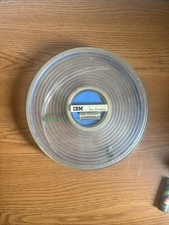
Vintage IBM Data Processing Magnetic Tape Reel General Electric Data Cartridge
$30.00
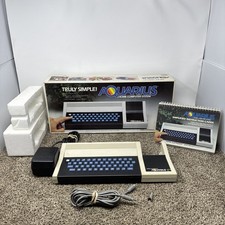
Vintage 1982 Mattel Aquarius Home Computer System 5931 Tested and Working
$160.00
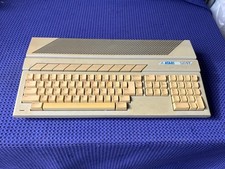
Vintage Atari 520ST Computer Untested No Power Supply
$150.00

🔥Vintage Windows 95 Hp Pavilion 5030 Monitor, Tower Working Desk Computer DOS
$1095.00
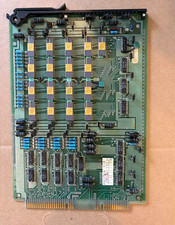
Vintage Telecom ATT Circuit Board 4k RAM Memory Gold Cap IC Western Electric
$199.99



 Reply With Quote