

 Reply With Quote
Simply run this nvidia-installer
http://www.knoppix.net/forum/viewtopic.php?t=4016#18817
http://debian.tu-bs.de/knoppix/live/nvidia-live.sh


Hi, I am a first timer for Linux/knoppix. I have completed a HDinstall for knoppix, I've also installed other versions/"brands" before but never "learned" past that. I'm a CIS major and its come down to where I need to "START" learning to use linux.
So far so good, I'm loving Knoppix, most of my games have versions running in linux, very excited overall. My "brick wall" at this point however is installing/loading Nvidia Drivers for my G4 4200 128MB AGP 4x(visiontek) video card. The Driver set I'm attemping to use/install is version 1.0-4496. I am also running the most current ver. of knoppix as of this date 10/12/03.
The information I'm looking for is HOW to get to a command prompt only (no "X" running, period.) as the installation requires that no ver. of X be running. Once I'm at the command prompt I can run Nvidia's installation of the drivers and configure my xfree86 file.
Apparently they've changed the "way" you use to install/load drivers into linux. Instead of having two dl's they have made it into ONE package An installation (their words, not mine) package. There was a great thread here: threadhttp://www.knoppix.net/forum/viewtopic.php?t=960#3848 Spelling out pretty well how to do an install on nvdia's drivers, but as I was saying they have changed the way you go about doing this so...
I have found a tremendous amount of threads on the issue of Video cards/drivers but nothing that aided me specificly. The closest I've gotten to a solution was the thread I've metioned here. I've tried my best on my own so now I need your help. If you feel you have the answer(s)/experience to my question I would greatly appreciate your assitance.
-Jason a.k.a. Tool
P.S. I have to say to you all, what a great community this forum is. A lot of sharing individuals, I've learned alot already just visiting this forum and going through the threads. I hope I'll eventually be able to contribute some as well. THANK YOU VERY MUCH!
Simply run this nvidia-installer
http://www.knoppix.net/forum/viewtopic.php?t=4016#18817
http://debian.tu-bs.de/knoppix/live/nvidia-live.sh
At the KDE login screen choose the Menu then Console Login then logon to the console and you will be able to install. Another thread you may want to read.Originally Posted by XDToolMan
Thank you both very much.
I ended up downloading the installer, going to the prompt ctrl-alt-F1 was the shortcut to get there. Ran the installer. WORKS WONDERFULLY.
I would also like to say Thank you to FABIANX for the great install program he provided. I won't stop there though, I'm going learn to do it the hard way too.
Thanks again guys!
-Jason aka Tool
 Posting Permissions


Apple Macintosh Classic M1420 Vintage Desktop Computer Model Macintosh Classic
$100.00

Vintage 1998 iMac G3 M4984 Mac OS + Keyboard Working but Needs Some Repair Read
$295.00

Apple Macintosh DuoDock Duo Dock M7779 & Powerbook 230 Vintage Mac RARE Vintage
$249.00

Mixed Lot Vintage Mac Windows media / Graphics / Sound Software - CDs 37 Pieces
$40.99

Vintage Apple Macintosh Plus Desktop Computer - M0001A
$150.00

LARGE LOT Vintage Apple Macintosh Mouse Cables Accessories SCSI etc - UNTESTED
$80.00

Apple Macintosh Plus 1MB M0001A Vintage Computer **TURNS ON **
$99.99

185--Sonnet Crescendo G3 PPCG3-375-5-K-06 G3 Add-On Card for Vintage Mac
$99.00
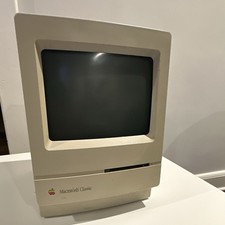
Apple Macintosh Classic M1420 Vintage All-in-One Desktop Computer
$95.00

2001 Apple iMac G3 600MHz DV M8492LL/A in Strawberry shell Vintage Mac OS PPC 9
$349.99
