
I can't browse on the net where is the problem?
How do i configure my network card and the internet conection?


I can't browse on the net where is the problem?
How do i configure my network card and the internet conection?
This is a bit of a complicated question when you ask it so generally. We will need to know more about your set-up to help you with any real specific advice, however assuming you know a little but about what you're doing and are simply new to Linux I'll tell you what you want. Open a shell, that's the icon in the kicker (M$ would call their equivalent the taskbar) that looks like a monitor with a shell in front of it. As root, type in:
# netcardconfig
Assuming you know your connection details, and assuming that it's not an unsupported ethernet card error, this should work.
In case you don't know how to become root, you can search this forum for some great instructions that are available.
Good Luck,
Civ
I think knoppix sees my network card ethO but what is the roort password?
 Posting Permissions


🔀 Juniper Networks EX2300-C-12P 12× Gigabit PoE+ • 2× 10G SFP+ Compact Switch ⚡
$109.99

Juniper EX2300 12-Port Gigabit PoE+ Managed Network Switch P/N: EX2300-C-12P
$149.99

Juniper EX3400-24P 24-Port PoE+ GbE + 4-Port 1/10Gb SFP Switch
$245.00

Juniper Networks Mist Wireless Access Points, Model AP45
$59.99
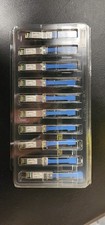
Juniper Networks 25GBASE-LR SMF 25Gbps 10km 1310nm LC SFP 740-071562 Lot 10
$1200.00

JUNIPER QFX5120-48Y-AFO 48x 10/25GbE SFP28 8x 40/100GbE Network Switch Dual PSU
$6998.00

Juniper MX204 +JUNOS and Dual Power Supply
$7299.99

Juniper Networks AP33-US Indoor Wifi6 (US Version) 5GHz: 4x4:4; 2.99
$24.99

Juniper Networks EX3400-24T 24-Port Ethernet Switch w/Power Cord
$174.99

Juniper EX2300-24P 24-port Gigabit RJ-45 PoE 4-port 10Gb SFP+ Network Switch
$89.99

 Reply With Quote