

 Reply With Quote
sudo script


I created a script as root to remove some symlinks and to copy some files instead of them.
The problem is that I am not able to run the script as root.
As user knoppix I am able to run the script, but do not have the rights to remove the symlinks.
I want to save the script on the harddisk, so it will be there all the time.
As soon as I save it on harddisk the ownership seems to change to knoppix:knoppix
I tried as root:
ownership did not change.Code:chown knoppix:knoppix filename
I tried as root:
chmod u+x filename
and
chmod +x filename
root could still not run the script, while knoppix can, but does not have enough rights.
What can I do about this?
Another question is: how do I get the answer on the question if knoppix should remove the symlink answered with yes without human interferance.
sudo script

I think you should issue aOriginally Posted by Hermanh
or try (as root):Code:chown root:root filename
tomCode:# chmod 777 filename
Thanks for those answers. I tried them both.
When I do as root:
I still can not run the scriptCode:chmod 777 filename
When I do as root:
I get:Code:chown root:root filename
AlsoCode:chown: changing ownership of 'filename': operation not permitteddoes not work as root or as knoppix.Code:sudo filename
I've started knoppix with the cheatcode knoppix 2 to stay in textmode.
After the script has run the knoppix-box will function as ftp-server.
maybe put
sudo su
at the top of the script
or put
sudo rm / sudo ln etc
what kind of script? and you are running ./script.sh ?
what happens with
sudo ./script.sh ?
When I do as root:
the onwnership of the new file is root:root.Code:cp /mnt/hda1/filename /etc/filename
Still I can not run the script as root, not even when I do as root:
orCode:chmod u+x filename
orCode:chmod +x filename
Which should work according to several Linux howto's.Code:chmod 777 filename
I get a message:
The file existsCode:bash: filename: command not found
When I do:
I getCode:ls -l filename
('filename' is colored green)Code:-rwxrwxrwx 1 root root 549 jan 26 15:25 filename
Is user knoppix using another shell or something like that?
you have to do
not justCode:./filename
Code:filename
thanks, the script is running.
did do it. I did not expect that because it runned as knoppix using justCode:./filename
Code:filenameHas one of you also the answer for the second part of my question?Another question is: how do I get the answer on the question if knoppix should remove the symlink answered with yes without human interferance.
you meanAnother question is: how do I get the answer on the question if knoppix should remove the symlink answered with yes without human interferance.
rm -f ?
I'm going from memory, but I saw a post either on this forum or on the linuxtag knoppix forum about a user that could not run scripts. IIRC he had to:
/bin/bash script
rock
 Posting Permissions


NETGEAR ProSafe 5-port Gigabit Switch GS105v5
$9.99

Cisco Catalyst 2960-48TT-L 48-Port Fast Ethernet Managed Rackmount Switch
$46.99

TP-Link 5-Port Gigabit Unmanaged Ethernet Switch Network Expansion TL-SG105
$19.95

5Ports Gigabit Network Switch w/ 4 PoE+ Ports Total 52W each port 30W Plug&Play
$31.99

TP-Link TL-SG2210P 10-Port Gigabit Smart Switch w/ 8-Port PoE+ NO AC SKU 25597
$39.99

TP-Link TL-SG105 5-Port Gigabit Ethernet Unmanaged Metal Desktop Network Switch
$22.49

Linksys 8-Port Managed Gigabit PoE+ Switch 110W w/ 2 Uplink Gigabit - LGS310MPC
$49.00

10-Port Gigabit PoE Network Switch with 8 PoE+ Ports with 2 Combo SFP Slots 125W
$69.99

NETGEAR 5-Port Gigabit Ethernet Unmanaged Switch (Gs305) - Desktop Quiet Fanless
$22.00
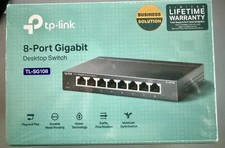
SEALED TP Link Network TL SG108 8Port Switch 1000Mbps RJ45 Desktop Switch NEW
$14.00