

 Reply With Quote
sudo script


I created a script as root to remove some symlinks and to copy some files instead of them.
The problem is that I am not able to run the script as root.
As user knoppix I am able to run the script, but do not have the rights to remove the symlinks.
I want to save the script on the harddisk, so it will be there all the time.
As soon as I save it on harddisk the ownership seems to change to knoppix:knoppix
I tried as root:
ownership did not change.Code:chown knoppix:knoppix filename
I tried as root:
chmod u+x filename
and
chmod +x filename
root could still not run the script, while knoppix can, but does not have enough rights.
What can I do about this?
Another question is: how do I get the answer on the question if knoppix should remove the symlink answered with yes without human interferance.
sudo script

I think you should issue aOriginally Posted by Hermanh
or try (as root):Code:chown root:root filename
tomCode:# chmod 777 filename
Thanks for those answers. I tried them both.
When I do as root:
I still can not run the scriptCode:chmod 777 filename
When I do as root:
I get:Code:chown root:root filename
AlsoCode:chown: changing ownership of 'filename': operation not permitteddoes not work as root or as knoppix.Code:sudo filename
I've started knoppix with the cheatcode knoppix 2 to stay in textmode.
After the script has run the knoppix-box will function as ftp-server.
maybe put
sudo su
at the top of the script
or put
sudo rm / sudo ln etc
what kind of script? and you are running ./script.sh ?
what happens with
sudo ./script.sh ?
When I do as root:
the onwnership of the new file is root:root.Code:cp /mnt/hda1/filename /etc/filename
Still I can not run the script as root, not even when I do as root:
orCode:chmod u+x filename
orCode:chmod +x filename
Which should work according to several Linux howto's.Code:chmod 777 filename
I get a message:
The file existsCode:bash: filename: command not found
When I do:
I getCode:ls -l filename
('filename' is colored green)Code:-rwxrwxrwx 1 root root 549 jan 26 15:25 filename
Is user knoppix using another shell or something like that?
you have to do
not justCode:./filename
Code:filename
thanks, the script is running.
did do it. I did not expect that because it runned as knoppix using justCode:./filename
Code:filenameHas one of you also the answer for the second part of my question?Another question is: how do I get the answer on the question if knoppix should remove the symlink answered with yes without human interferance.
you meanAnother question is: how do I get the answer on the question if knoppix should remove the symlink answered with yes without human interferance.
rm -f ?
I'm going from memory, but I saw a post either on this forum or on the linuxtag knoppix forum about a user that could not run scripts. IIRC he had to:
/bin/bash script
rock
 Posting Permissions


WAVLINK RAID 2 Bay Hard Drive Docking Station SATA 2.5''3.5'' SSD HDD USB C 4Bay
$68.39

Broadcom 9600-24i Tri-Mode RAID Controller 4.0 NVMe SAS SATA NEW 05-50111-01003
$639.69

9300-8i LSI SAS3008 8-Port 12Gb PCIe IT mode ZFS FreeNAS unRAID 2*SFF-8643 US
$49.50
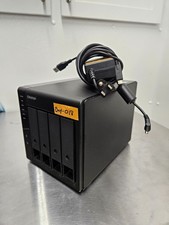
QNAP TR-004 4 Bay USB-C Hardware RAID Enclosure DAS 3.5 2.5 SATA Tested Working
$149.99
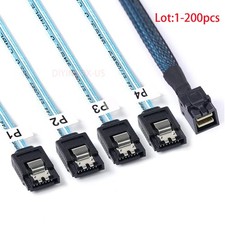
Lot Mini SAS SFF-8643 To 4 SATA 7pin Hard Disk 6Gbps Data Server Raid Cable 1M
$1150.00

2-Bay/4-Bay Hard Drive Enclosure for 3.5"/2.5'' SATA HDD/SSD 10Gbps USB-C 3.2
$119.99

Broadcom LSI 9305-16i 12Gbps SAS-3 PCIe x8 HBA 16-Ports Raid Controller
$64.99

TerraMaster D5-300C 5-Bay USB RAID/JBOD Enclosure Used
$150.00

Intel VROC Premium RAID Controller Card PCIe Add-On Module VROCPREMMOD
$265.00

Broadcom LSI Avago RAID card MegaRAID SAS 9480-8i8e 05-50031-00
$500.00