

IS it possible to access persistent storage device (.knoppix.img) after booting into Knoppix?
I am not able to use my Sony Microvault 128MB USB with Knoppix. It mounts only as:
/dev/sda
I have to type:
mount /dev/sda /mnt/(whatever)
I would like to make my Sony Microvault as the persistent storage!!! Please address this issue fast. I have bought it after spending a lot of money.
I made my Hard Disk as the persistent storage. Then I copied the .knoppix.img file onto the Sony Microvault. At boot up time, I typed, knoppix home=/dev/sda. It accesses the file and asks me for the password (I am using Knoppix-MIB). After entering the password, it gives an error saying that /dev/sda does not exist, or something like that. Is there a way I can give a specified mount directory on boot up to make it work? Also can I see the contents of .knoppix.img file after I have booted into Knoppix. Because then I am able to mount the Sony Microvault successfully. I hope you look into this matter ASAP.
This issue has already been brought up by another Knoppix user.
The link is:
http://www.knoppix.net/forum/viewtopic.php?t=5121#24633
 Posting Permissions


Dell Precision T5820 Workstation 3.70GHz W-2135 No RAM/ GPU/ HDD/ OS
$179.98

Intel Xeon Phi 5110P 60-Core 1.053GHz Coprocessor
$50.00

Dell EMC PowerEdge R440 Xeon silver 4215 2.5GHz 16 GB ram 2x 550W PSU No HDD
$275.00

Lenovo ThinkStation P520c Intel Xeon W-2133 6-Core 3.60GHz -NO RAM/ HDD/ GPU/ OS
$127.54
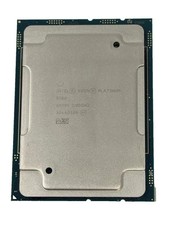
Intel Xeon Platinum 8268 2.9GHz 24-Core FCLGA3647 Processor | SRF95
$119.99

Intel Xeon E5-2699 V4 2.20GHz 55M 22-CORES LGA2011-3 Server Processor 145W SR2JS
$84.49

Dell Precision T7820 2x Xeon Silver 4114 2.20GHz 950W No RAM GPU HDD 4x SATA
$354.48

Intel Xeon E5-2690 v4 SR2N2 14 Core 2.6GHz 35MB LGA2011-3 CPU *km
$15.99

Dell Precision Tower 7810 Xeon E5-2630 v3 @ 2.40GHz , 32GB Ram, NO HDD, NO OS
$239.99

Dell Precision T1700 Workstation Intel Xeon 16G Ram 256GG SSD Nvidia 600 Win 10
$109.99


 Reply With Quote