-
Senior Member
registered user

Originally Posted by
dave52355
Than I ran apt-get install superkaramba This is where the problems begun.
Thanks
Try apt-get -s install superkaramba/unstable to tell it where to get the package from this usually works otherwise it will try to install a lesser version.
[edit]
Remove the -s to install if everything looks good.
[/edit]
-
OK, Reinstalled Knoppix to HD. DL superkaramba from Debian web site. Ran in kpackage. Said it needed a new lib. DL Lib ran in Kpackage it to needed something. After a lot of back and forward activity I finally got superkaramba to install!
Which brings me to another question: If kpackager and apt-get are smart enough to see the required packages, why don't they just go out and get them?
On another note. The last 2 installs LISa has not been set to boot at startup. I have used rcconf to turn it on at boot. I can ping the other systems on my network (XP Pro and Lindows 4.0) but I cannot access them. Any ideas?
Thanks
-
Senior Member
registered user
Originally Posted by
dave52355
Which brings me to another question: If kpackager and apt-get are smart enough to see the required packages, why don't they just go out and get them?
apt-get will do this, but since Knoppix is a mixed system (stable, testing, unstable) some extra work is required.
What Stepen advised you above will often work.
Code:
apt-get -install superkaramba/unstable
The /unstable option tells knoppix to grab your desired program from unstable, but ONLY the package that you specify to be obtained from unstable will be taken from unstable. Dependencies will resolve to their defaults. This is where you may end up with dependency problems.
The way to get around this is as follows:
Code:
apt-get -t unstable install superkaramba
This not only grabs the program you want to install from unstable (in this case superkaramba) but it also grabs ALL DEPENDENCIES from unstable. This often works much better. It has almost always solved my problems. Best of all it tends not to remove and break other packages. This is a real problem to people who are new to debian. I've seen a lot of people who have tried to upgrade or install cetain packages and have ended up completely borking kde. I've done this myself in fact....but never with the "-t unstable" option.
Good luck.
Adam
-
Thank you. One question:
Would apt-get -t install (program name) work for dependancy issues on stable platforms?
Thanks
Similar Threads
-
By ghetto_blaster in forum Hdd Install / Debian / Apt
Replies: 2
Last Post: 07-13-2004, 07:29 AM
-
By pau in forum General Support
Replies: 1
Last Post: 02-11-2004, 10:21 AM
-
By pau in forum General Support
Replies: 1
Last Post: 02-11-2004, 01:41 AM
-
By dirty30ex in forum General Support
Replies: 1
Last Post: 12-23-2003, 03:51 AM
-
By Pasq in forum Customising & Remastering
Replies: 14
Last Post: 07-22-2003, 10:48 AM
 Posting Permissions
- You may not post new threads
- You may not post replies
- You may not post attachments
- You may not edit your posts
-
Forum Rules


16GB KIT (2x8GB) DDR3 Gamer Desktop RAM PC3 MIXED BRANDS VIPER VENGEANCE FURY
$10.00

Netac DDR4 32GB 16GB DDR4 3200MHz UDIMM C16 Desktop Internal Memory RAM Kit
$99.99

Major Brand 16GB (2x8GB) PC3-12800U DDR3-1600MHz DDR3-12800 DESKTOP RAM NON-ECC
$29.99

A-Tech 8GB DDR3 1600 PC3-12800 Laptop SODIMM 204-Pin Memory RAM PC3L DDR3L 1x 8G
$21.68
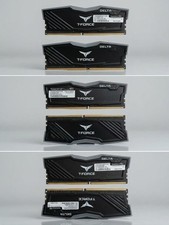
TFORCE DELTA 32GB RAM RGB (16Gx2)
$150.00

DDR4 Laptop RAM 4GB 8GB 16GB 32GB 2400 2666 3200 Samsung Hynix
$66.00
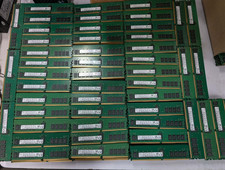
Lot 500 SK hynix 16GB 2Rx8 PC4-23400 DDR4-2933Y ECC Registered Server Memory RAM
$47988.00

RAMAXEL Lenovo 32GB LPDDR5X CAMM2 7500MHz Laptop RAM | UNTESTED
$445.00

Corsair Vengeance DDR3 8GB 16GB 32GB 1866MHz PC3-14900 Desktop RAM Memory DIMM
$85.00
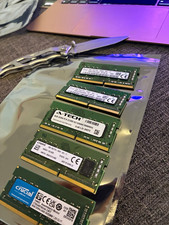
Lot of 5 - Mixed Brands 40GB (5x8GB) DDR4-2666 PC4-21300 SO-DIMM 260-Pin Non-ECC
$150.00



 Reply With Quote