

 Reply With Quote
It looks like I may know the problem, the base address is set to 0x0000.
Anyone know how I could get around this? An argument on modprobing, pehaps?


I tried posting this in networking, but have had no response in days.
I can't for the life of me get internet connectivity in Knoppix, and I'm wondering if any experts here can guide me.
I use a static IP address through a router at 192.168.0.1, I have set up my nameservers in /etc/resolv.conf too (but that isnt the problem).
Knoppix seems to detect my network card (natsemi driver), and I know it works fine in linux as I use slackware on this machine, and previously many other distros.
I set up ifconfig manually and added the default gateway with route, but if I use the network card config program, it's still the same.
I have tried connecting directly to another computer on my LAN (to bypass the need for a nameserver to be working) and its the same, nothing happens, at all.
Heres the output. I noticed there are a lot of errors on sent packets (and none transmitted properly).
root@ttyp0[/]# ifconfig && route
eth0 Link encap:Ethernet HWaddr 00:02:E3:18:7D4
inet addr:192.168.0.16 Bcast:192.168.0.255 Mask:255.255.255.0
UP BROADCAST RUNNING MULTICAST MTU:1500 Metric:1
RX packets:713 errors:0 dropped:0 overruns:0 frame:0
TX packets:0 errors:745 dropped:0 overruns:0 carrier:745
collisions:0 txqueuelen:100
RX bytes:43162 (42.1 KiB) TX bytes:0 (0.0 b)
Interrupt:11 Base address:0xf000
lo Link encap:Local Loopback
inet addr:127.0.0.1 Mask:255.0.0.0
UP LOOPBACK RUNNING MTU:16436 Metric:1
RX packets:54 errors:0 dropped:0 overruns:0 frame:0
TX packets:54 errors:0 dropped:0 overruns:0 carrier:0
collisions:0 txqueuelen:0
RX bytes:3852 (3.7 KiB) TX bytes:3852 (3.7 KiB)
Kernel IP routing table
Destination Gateway Genmask Flags Metric Ref Use Iface
192.168.0.0 * 255.255.255.0 U 0 0 0 eth0
default 192.168.0.1 0.0.0.0 UG 0 0 0 eth0
Thanks.
EDIT : I'll add that I've tried Knoppix STD and an older version too, and its still the same. It works perfectly on my other system.
It looks like I may know the problem, the base address is set to 0x0000.
Anyone know how I could get around this? An argument on modprobing, pehaps?
--I see 0xf000, not 0000... Anyway, my natsemi is set to irq=9, 0x5000. Modprobe should only be loading it into a usable address tho.
--Also, you shouldn't have to set the route manually. (Every time I've messed with route, things broke.) I am by no means a networking "guru" either, to this day I can't get Windows networking (SMB shares) working between 2 Win98se machines. In Linux, everything Just Works. But I'm learning more everyday, even got Iptables working and figured out how to do dhcp serving. So perhaps I am not the best person to answer your question, but I feel a need to try and help.
--What is the "other system" it's working perfectly on? Can you ping the router and other boxes? Have you tried swapping out the Ethernet cable?
Originally Posted by unclebulgaria
Ah yes, I missed the f, sorry about that mistake.
Ive tried it with netcardconfig, and setting it up manually, both give me the same results.
I know its not a physical problem, as Slackware is installed on the exact same machine currently, and it connects to the internet perfectly. Its using the same NIC, same ip address etc.
Ping yields nothing, if I look at ifconfig, no packets are transmitted, I just get a bunch of TX errors.
Im usually pretty good at getting my machines to network, but this thing is eluding me, I might just have to wait for a future knoppix (maybe when it changes to the 2.6 kernel, a fairly long time probably).
--Just on a wild hunch, compare contents of /etc/hosts between Slackware and Linux. Could be a dead end, but worth checking.
 Posting Permissions


SFP TO RJ45 TRANSCEIVER SFP MODULE COPPER SFP OPTICAL PORT TO RJ45 ETHERNET PORT
$7.99

Dell Intel X710-DA2 5N7Y5 Dual-Port 10GbE SFP+ PCIe 3.0 x8 Network Adapter
$27.50

Cisco Meraki MA-SFP-1GB-SX Network Tranceiver Module
$89.00

HPE 560SFP 2x 10Gb SFP+ PCIe Both Profile Network Card 669279-001 665247-001
$14.90

Genuine Cisco SFP-10G-SR 0-2415-03 10 Gigabit Transceiver
$5.40
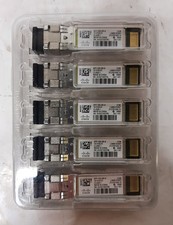
New Open Box Lot of (5) Genuine Cisco SFP-10G-SR-S 10Gig Transceivers 10-3105-01
$84.99
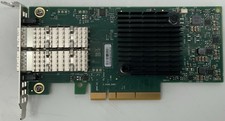
Dell Mellanox ConnectX-4 Lx CX4121C Dual 25GbE SFP28 LP | 20NJD
$25.00

HP 560SFP+ 10GB 2-port PCIe NIC Ethernet ADAPTER 669279-001 w/ (2) 10GB SFP+
$16.99

NEW Sealed Cisco SFP-10G-LR 10GBASE-LR SFP+ 1310nm 10km *US Shipping*
$24.00
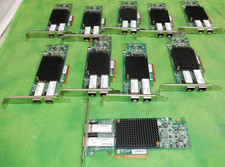
HP 557SFP+ ETHERNET 10GB 2 PORT 792834-001 788991-001 HIGH LOT OF 10
$70.00