

 Reply With Quote
Does linux detect your network card once booted?


Hi, I'm new to the Knoppix board and Knoppix itself, but I've been using DamnSmallLinux for a while now. When I got a new motherboard in my mom's machine, DSL all of a sudden couldn't sync up or whatever with the net card. It kept saying eth0: link up and then finally gave up. That was with v4.5. It still does it with v4.8. I got Knoppix, to see if it would have the same problem or not, and it does, however it doesn't hang on the netcard part for a while and then give up. It does the whole DHCP and backgrounding part, but it instantly moves on to the next step, faster than if DSL had found the net card. I'm also having this problem in my machine. The motherboards in both machines are MSI. They're different chipsets, I think. Mine is VIA KT133A Chipset Based, but I dunno what my mom's is right now (I'm at my dad's, where my machine is). I know for a fact, however, that both motherboards do not have nForce support or anything like that. I tried using th 'knoppix nosmp' boot option, but all that did was get rid of the "Error: Only one processor found" error upon start up (both machines). Any help would be appreciated, I've already posted this at the DSL forums, but I havn't recieved much help from them..
Does linux detect your network card once booted?
? Elaborate.. I tried running the netcard config thing, it asks me if i wanna use DHCP, I hit yes, it sits, errors, quits. If i hit no, it quits anyway. I can't go out to the net, sign on AIM, or anything.
Does ifconfig list any interfaces?
Well, when I type ifconfig in the console, this is what it outputs:
This was on my mom's machine, which is also an MSI motherboard, but it's SiS 745 Chipset based.Code:lo Link encap: Local Loobpack inet addr: 127.0.0.1 Mask:255.0.0.0 Up LoppBack RUNNING MTU: 16436 Metric: 1 RX Packets: 48 errors: 0 dropped:0 frame: 0 TX Packets: 48 errors: 0 dropped:0 frame: 0 collisions: 0 txqueuelen: 0 RX bytes: 2400 (2.3KiB) TX bytes: 2400(2.3KiB)
Yay! I got it to work! I just had to use the nopcmcia option to boot it. It works fine. Thanks for trying to help though, I appreciate it.
 Posting Permissions


2-Bay/4-Bay Hard Drive Enclosure for 3.5"/2.5'' SATA HDD/SSD 10Gbps USB-C 3.2
$75.99

OWC Mercury Elite Pro 2 Bay RAID Enclosure with USB 3.2 for Dual 3.5 inch HDDs
$87.99

Broadcom 9600-24i Tri-Mode RAID Controller 4.0 NVMe SAS SATA NEW 05-50111-01003
$639.69

Adaptec ASR-71605 16-Port 1Gbps PCIe RAID Card High Profile
$18.49

WAVLINK RAID 2 Bay Hard Drive Docking Station SATA 2.5/3.5'' SSD HDD Enclosure
$119.99

Dell PowerEdge HBA330 LP PCI-E 12GBs RAID SAS Controller Adapter J7TNV
$18.95

Acasis USB 3.2 2 Bay HDD RAID Enclosure for 2.5/3.5" SATA Drives External Array
$55.00

Broadcom LSI 9305-16i 12Gbps SAS-3 PCIe x8 HBA 16-Ports Raid Controller
$64.99

Intel VROC Premium RAID Controller Card PCIe Add-On Module VROCPREMMOD
$265.00
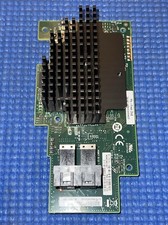
Intel® Integrated RAID Mezzanine Module RMS3HC080 SAS/SATA H24093-204
$24.97