
Results 1 to 10 of 10

Thread: Install errors

  1. #1
    Junior Member registered user
    Join Date
    Sep 2003
    Posts
    13

    Install errors

    I set up a linux (82) partition and a swap (83) partition.

    Save everything and then continue with the install and it loops into this error...
    hda: dma_intr: error=0x84 { DriveStatusError BadCRC }
    hda: dma_intr: status=0x51 { DriveReady SeekComplete Error }

    this repeats forever.

    I am completely lost here guys. Help. I have disabled PnP in BIOS and the hd is a 5 gig drive. ASUS board, running from CD.

    Thanks.

  2. #2
    Senior Member registered user
    Join Date
    Mar 2003
    Location
    colorado springs, colorado
    Posts
    1,933
    Well it says "hda: dma_intr: error" so I would try booting with nodma.

  3. #3
    Junior Member registered user
    Join Date
    Sep 2003
    Posts
    13

    Ok

    It turned out I had the wrong error. With it scrolling the errors a million miles an hour I had to "guess" at first.

    Ok, here is the errors that I am getting.

    hda: read_intr:error-0x00
    hda: read_intr:status=0x59 {DriveReady SeekComplete DataRequestError}


    I have run Windows 2000 pro without a single problem also. (So I know the drive is sound)

    Help

  4. #4
    Senior Member registered user
    Join Date
    Nov 2002
    Location
    USA, IL
    Posts
    1,041

    Re: Install errors

    Minor correction: 82 is swap, 83 is linux.

    --Make sure you are using the latest Knoppix version (2003-09-24 as of this writing.)

    --Do a scandisk with surface test in Windoze and see if it comes up with any errors.

    --While the machine is powered off, re-seat your IDE cables - both at the motherboard and at the drive. I had this happen to a friend of mine just a few days ago; thought we'd lost his HD until the cables were redone.

    --If you are still using 40-pin IDE cables, consider switching to 80-pin.

    Quote Originally Posted by extradudeguy
    I set up a linux (82) partition and a swap (83) partition.

    Save everything and then continue with the install and it loops into this error...
    hda: dma_intr: error=0x84 { DriveStatusError BadCRC }
    hda: dma_intr: status=0x51 { DriveReady SeekComplete Error }

    this repeats forever.

    I am completely lost here guys. Help. I have disabled PnP in BIOS and the hd is a 5 gig drive. ASUS board, running from CD.

    Thanks.

  5. #5
    Junior Member
    Join Date
    Nov 2003
    Posts
    4
    I've been trying to install the latest KNOPPIX 3.3 and I seem to get the same error. After booting from HD I get several lines of:

    hda: dma_intr: status=0x51 { DriveReady SeekComplete Error }
    hda: dma_intr: error=0x84 { DriveStatusError BadCRC }

    After that the system seems frozen and the only solution I have found is the reset button.

    I have tried to boot with nodma but that did not seem to work... I already have Red Hat Linux 9.0 and Windows 98 installed on hda and both work OK.

    The drive in question is 80 GB IBM that uses some kind of software to get around my old BIOS's size limit. Could this be an issue?
    /Kalle

  6. #6
    Junior Member
    Join Date
    Nov 2003
    Posts
    4
    Update: I get similar errors and a hung computer if I boot KNOPPIX from CD and tell it to use DMA.
    /Kalle

  7. #7
    Senior Member registered user
    Join Date
    Nov 2002
    Location
    USA, IL
    Posts
    1,041
    --See if there is a BIOS update for your motherboard. If not, you may have to install knoppix as "poor man's install" or use a starting cylinder < 1024.

    Quote Originally Posted by kalle
    I've been trying to install the latest KNOPPIX 3.3 and I seem to get the same error. After booting from HD I get several lines of:

    hda: dma_intr: status=0x51 { DriveReady SeekComplete Error }
    hda: dma_intr: error=0x84 { DriveStatusError BadCRC }

    After that the system seems frozen and the only solution I have found is the reset button.

    I have tried to boot with nodma but that did not seem to work... I already have Red Hat Linux 9.0 and Windows 98 installed on hda and both work OK.

    The drive in question is 80 GB IBM that uses some kind of software to get around my old BIOS's size limit. Could this be an issue?
    /Kalle

  8. #8
    Junior Member
    Join Date
    Nov 2003
    Posts
    4
    Quote Originally Posted by Dave_Bechtel
    --See if there is a BIOS update for your motherboard. If not, you may have to install knoppix as "poor man's install" or use a starting cylinder < 1024.

    I don't think there is a BIOS upgrade available. However, this software that I installed when I got the disk should apparently take care of that. It's something that loads every time I boot, before any OS. There's a blue-ish screen that says something like

    HITACHI Dynamic Drive Overaly (c) Kroll Ontrack

    After that I get to Acronis OS Selector where I chose my OS.

    My Red Hat partition must be way past the 1024 limit and that works. Actually, RH is on hda3 and I'm trying to install KNOPPIX on hda2.

    What is a "poor man's install"?

    /Kalle

  9. #9
    Senior Member registered user
    Join Date
    Nov 2002
    Location
    USA, IL
    Posts
    1,041
    --Copy from the cdrom x:\knoppix\knoppix to c:\knoppix\knoppix and use a bootdisk. With a persistent home, it's the next best thing to a full install; but you can't apt-get anything.

    Quote Originally Posted by kalle
    Quote Originally Posted by Dave_Bechtel
    --See if there is a BIOS update for your motherboard. If not, you may have to install knoppix as "poor man's install" or use a starting cylinder < 1024.

    I don't think there is a BIOS upgrade available. However, this software that I installed when I got the disk should apparently take care of that. It's something that loads every time I boot, before any OS. There's a blue-ish screen that says something like

    HITACHI Dynamic Drive Overaly (c) Kroll Ontrack

    After that I get to Acronis OS Selector where I chose my OS.

    My Red Hat partition must be way past the 1024 limit and that works. Actually, RH is on hda3 and I'm trying to install KNOPPIX on hda2.

    What is a "poor man's install"?

    /Kalle

  10. #10
    Junior Member
    Join Date
    Nov 2003
    Posts
    4
    Quote Originally Posted by Dave_Bechtel
    --Copy from the cdrom x:\knoppix\knoppix to c:\knoppix\knoppix and use a bootdisk. With a persistent home, it's the next best thing to a full install; but you can't apt-get anything.
    Aah... Well in that case I'd rather stick with my working Red Hat system for now. I wanted to use KNOPPIX as a quick and easy way to install a Debian system. I tried that the old fashioned way once and I won't do it again...

Similar Threads

  1. Knoppix 3.7, install errors, kde problems...
    By gK Angel in forum Hdd Install / Debian / Apt
    Replies: 0
    Last Post: 03-24-2005, 08:13 AM
  2. Install Command Errors
    By Particle in forum Hdd Install / Debian / Apt
    Replies: 3
    Last Post: 01-05-2005, 12:15 AM
  3. Drive CRC errors upon startup after HD install
    By allanorn in forum Hdd Install / Debian / Apt
    Replies: 7
    Last Post: 01-04-2005, 06:06 PM
  4. HDD install errors
    By usbrit in forum Hdd Install / Debian / Apt
    Replies: 2
    Last Post: 11-30-2003, 01:25 PM
  5. apt get errors after hdd install
    By god in forum Hdd Install / Debian / Apt
    Replies: 0
    Last Post: 03-06-2003, 05:57 AM

Posting Permissions

  • You may not post new threads
  • You may not post replies
  • You may not post attachments
  • You may not edit your posts
  •  


Compressed Air Duster Rechargeable Computer Vacuum Cleaner for PC Keyboard Toys picture

Compressed Air Duster Rechargeable Computer Vacuum Cleaner for PC Keyboard Toys

$16.99



95000PA Wireless Car Vacuum Cleaner Air Blower Wireless Handheld Rechargeable US picture

95000PA Wireless Car Vacuum Cleaner Air Blower Wireless Handheld Rechargeable US

$21.98


LEVOIT Cordless Vacuum Cleaner, Stick Vac with Tangle-Resistant Design, Up to... picture

LEVOIT Cordless Vacuum Cleaner, Stick Vac with Tangle-Resistant Design, Up to...

$167.63
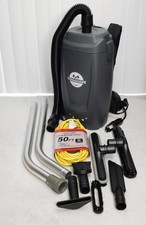


Tomahawk TVAC6PLUS 6 Qt Commercial Backpack Vacuum Cleaner Corded Hepa complete picture

Tomahawk TVAC6PLUS 6 Qt Commercial Backpack Vacuum Cleaner Corded Hepa complete

$219.00


Mini Computer Vacuum USB Keyboard Cleaner PC Laptop Brush Dust Cleaning Kit NEW picture

Mini Computer Vacuum USB Keyboard Cleaner PC Laptop Brush Dust Cleaning Kit NEW

$13.89



2-in-1 Compressed Air Duster & Vacuum, Brushless Motor, 320000RPM picture

2-in-1 Compressed Air Duster & Vacuum, Brushless Motor, 320000RPM

$37.99
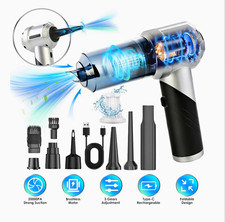


Rechargeable Type-C Air Duster Dust Blower Mini Vacuum Kit w/ Nozzles & Brush picture

Rechargeable Type-C Air Duster Dust Blower Mini Vacuum Kit w/ Nozzles & Brush

$60.00
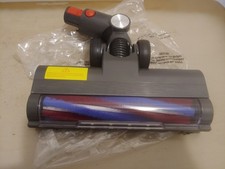


Powerffy Cordless Vacuum Cleaner N10 400W/30Kpa  Power Nozzle Head Assembly. picture

Powerffy Cordless Vacuum Cleaner N10 400W/30Kpa Power Nozzle Head Assembly.

$39.99


V3 Robot Vacuum and Mop Combo,Self-Charging,5000pa Strong Suction,WiFi/Alexa NIB picture

V3 Robot Vacuum and Mop Combo,Self-Charging,5000pa Strong Suction,WiFi/Alexa NIB

$82.00
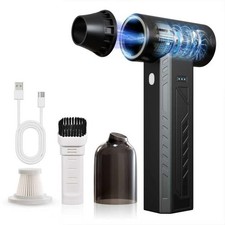


High-Power Cordless Air Duster 480,000 RPM - Rechargeable, Adjustable Speed, Tur picture

High-Power Cordless Air Duster 480,000 RPM - Rechargeable, Adjustable Speed, Tur

$127.99
