-
LS120 Superdisk Drive -> correct settings of fstab
Is ist possible to set the correct fstab entries when detecting an LS120 Diskdrive?
And put an Icon on the Desktop for that?
# LS120
/dev/sda /mnt/sda vfat defaults,user,noauto 0 0
# LS120
/dev/hdb /mnt/hdb vfat defaults,user,noauto 0 0
I don't know if both entries are necessary, but I added them manually and it works now (HD installation, debian mode).
Similar Threads
-
By cheetahman in forum General Support
Replies: 19
Last Post: 03-21-2005, 11:58 AM
-
By lilsirecho in forum Klik
Replies: 4
Last Post: 01-07-2005, 01:44 AM
-
By el_supremo in forum General Support
Replies: 3
Last Post: 08-18-2004, 10:19 PM
-
By SilverX in forum General Support
Replies: 5
Last Post: 03-18-2004, 08:24 PM
-
By alex+ in forum General Support
Replies: 3
Last Post: 12-26-2003, 06:14 PM
 Posting Permissions
- You may not post new threads
- You may not post replies
- You may not post attachments
- You may not edit your posts
-
Forum Rules


Intel Core i7-3770K 3.5 GHz Processor
$39.00

Intel Core i7-9700 3.0 GHz Octo-Core (SRG13) Processor
$79.00
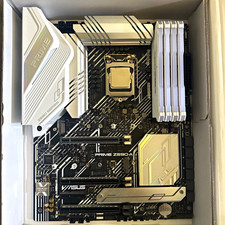
CPU-RAM-MOBO COMBO- 32gb DDR4 3600MHz, i5 CPU, Asus Prime Motherboard
$370.00

HP ProDesk 405 G8 Desktop AMD Ryzen 5 PRO 5650GE 16GB RAM 512GB SSD W11P
$319.99

Intel SRG17 Core i7-9700T Desktop Processor CPU
$74.99

Intel Core i7-9700 SRG13 3.0 GHz Desktop CPU
$80.00

Intel Core i5-14600KF Unlocked Desktop Processor
$259.99

Matched Pair _ Intel Xeon E5-2698 V4 2.2GHz 20-Core Processor CPU LGA2011 SR2JW
$94.99

GAMING COMBO: ASUS Prime H470M-PLUS MOTHERBOARD + i5-10600KF CPU + 16GB DDR4
$229.95
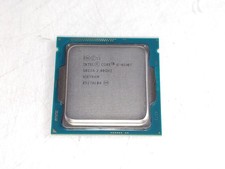
Intel Core i5-4590T 2 GHz 5 GT/s LGA 1150 Desktop CPU Processor SR1S6
$14.99



 Reply With Quote