-
Senior Member
registered user
From another post:
In KDE, in Knoppix 3.2, for an internal LS-120 drive, right click on the desktop, select create new, floppy device. Name it LS-120, and set the device to /dev/sda, then click ok. This should give you a desktop icon for the LS-120. Put a floppy in the drive, click the icon, and it should display the files in Konqueror after a few moments. Knoppix recognizes these drives as scsi devices.
Similar Threads
-
By cheetahman in forum General Support
Replies: 19
Last Post: 03-21-2005, 11:58 AM
-
By lilsirecho in forum Klik
Replies: 4
Last Post: 01-07-2005, 01:44 AM
-
By el_supremo in forum General Support
Replies: 3
Last Post: 08-18-2004, 10:19 PM
-
By SilverX in forum General Support
Replies: 5
Last Post: 03-18-2004, 08:24 PM
-
By alex+ in forum General Support
Replies: 3
Last Post: 12-26-2003, 06:14 PM
 Posting Permissions
- You may not post new threads
- You may not post replies
- You may not post attachments
- You may not edit your posts
-
Forum Rules


Samsung MLT-R116 Imaging Unit Xpress M2625 M2675 M2825 M2875 M2885 M3015 OEM NEW
$49.99

Samsung Galaxy Tab Active 3/ 64 gig/WIFI
$85.00

Samsung XE303 C12 Chromebook 11.6 1.7GHz, 2GB Ram, 16GB SSD, working condition
$42.00
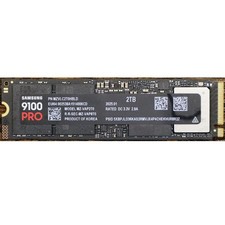
Samsung 2TB 9100 PRO 14,700MB/s PCIe 5.0 x4 NVMe M.2 2280 SSD (MZ-VAP2T0B/AM)
$399.49

Samsung SCXSTP000, SCX-STP000 (Swingline Staple Cartridge - 3 Refills)
$57.99

Magnetic Leather Flip Case with Stand for Samsung Tab S9 S9+ S10+ S10 Ultra
$13.99

Kids Case for Samsung Galaxy Tab A9+/A9 plus 11 Inch 2023 Case, with Strap, Shoc
$27.99

Samsung PC4-2666V 16GB 2Rx8 RAM DDR4 2666MHz M471A2K43CB1-CTD
$59.99

QTY 100 Samsung Galaxy Tab Active 4 Pro 10.1” Case, Black
$500.00

Original for Samsung NP950QCG-K01US LCD Screen Touch Full Top Assembly FHD Blue
$299.00



 Reply With Quote