-
When I boot with a disk insert then sda1 - sda4 appears on the desktop. And it does not work!
Do you have a HD Installation?
Try to boot from cd without inserting a disk and then modify the fstab file like above for the correct filesystems, vfat (dos) in most cases.
Create LS120 Icon then.
In the Icon settings for the LS120 disk you must entry sda.
Similar Threads
-
By cheetahman in forum General Support
Replies: 19
Last Post: 03-21-2005, 11:58 AM
-
By lilsirecho in forum Klik
Replies: 4
Last Post: 01-07-2005, 01:44 AM
-
By el_supremo in forum General Support
Replies: 3
Last Post: 08-18-2004, 10:19 PM
-
By SilverX in forum General Support
Replies: 5
Last Post: 03-18-2004, 08:24 PM
-
By alex+ in forum General Support
Replies: 3
Last Post: 12-26-2003, 06:14 PM
 Posting Permissions
- You may not post new threads
- You may not post replies
- You may not post attachments
- You may not edit your posts
-
Forum Rules


Intel Core i7-3770K 3.5 GHz Processor
$39.00

Intel Core i7-9700 3.0 GHz Octo-Core (SRG13) Processor
$79.00
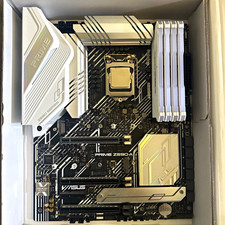
CPU-RAM-MOBO COMBO- 32gb DDR4 3600MHz, i5 CPU, Asus Prime Motherboard
$370.00

HP ProDesk 405 G8 Desktop AMD Ryzen 5 PRO 5650GE 16GB RAM 512GB SSD W11P
$319.99

Intel SRG17 Core i7-9700T Desktop Processor CPU
$74.99

Intel Core i7-9700 SRG13 3.0 GHz Desktop CPU
$80.00

Intel Core i5-14600KF Unlocked Desktop Processor
$259.99

Matched Pair _ Intel Xeon E5-2698 V4 2.2GHz 20-Core Processor CPU LGA2011 SR2JW
$94.99

PS5 Over Heating Problem Solver 1.5 Grams Liquid metal thermal paste CPU, GPU
$15.99

GAMING COMBO: ASUS Prime H470M-PLUS MOTHERBOARD + i5-10600KF CPU + 16GB DDR4
$229.95



 Reply With Quote