-
USB Logitech mouse v1.10 on dell latitude d600 not working
i am not able to get my dell latitude d600 computer to recognize and use my logictech optical USB mouse. I have just done a apt-get upgrade, but it did not help. Below is some diagnostic output. I have searched the web and the archives, and there is no satisfactory solution to this problem that i have found. could somebody please point me to the right resource to fix this. thank you.
this 'dmesg' was performed right after plugging the mouse in. the system seems to recognize the mouse, but the mouse will not move.
root@iceboc:/# dmesg
hub.c: new USB device 00:1d.1-1, assigned address 10
input: USB HID v1.10 Mouse [Logitech Optical USB Mouse] on usb2:10.0
root@icebox:/#
root@icebox:/# uname -a
Linux icebox 2.4.22-xfs #1 SMP Fr Sep 19 17:55:45 CEST 2003 i686 GNU/Linux
root@icebox:/#
-
Senior Member
registered user
Re: USB Logitech mouse v1.10 on dell latitude d600 not worki
--If you want the mouse to work in text mode, you have to use gpm.
' gpm -m /dev/mouse -t imps2 ' - this is how it is for my system, you could also try /dev/input/mice
To get things working in X, you have to edit the /etc/X11/XF86Config-4 file.
Code:
Section "ServerLayout"
        Identifier     "XFree86 Configured"
        Screen      0  "Screen0" 0 0
        InputDevice    "Keyboard0" "CoreKeyboard"
        InputDevice    "PS/2 Mouse" "CorePointer"
# Serial Mouse not detected
# USB Mouse not detected
EndSection
Code:
Section "InputDevice"
        Identifier  "PS/2 Mouse"
        Driver      "mouse"
        Option      "Protocol" "auto"
Option          "ZAxisMapping"          "4 5"
        Option      "Device" "/dev/psaux"
        Option      "Emulate3Buttons" "true"
        Option      "Emulate3Timeout" "70"
        Option      "SendCoreEvents"  "true"
EndSection

Section "InputDevice"
        Identifier      "USB Mouse"
        Driver          "mouse"
        Option          "Device"                "/dev/input/mice"
        Option          "SendCoreEvents"        "true"
        Option          "Protocol"              "IMPS/2"
        Option          "ZAxisMapping"          "4 5"
        Option          "Buttons"               "5"
EndSection
--In the ServerLayout section, change the ' InputDevice "PS/2 Mouse" ' to the "USB Mouse" identifier, then bounce X if it's running.
--I know it's a pain, and Windoze does this kind of thing automatically since like 1998, but oh well. The alternative is to boot the Knoppix CD with the mouse plugged in and the ' wheelmouse ' cheatcode, and copy the config file to HD.  But this way you learn a little more.

Originally Posted by
dek
i am not able to get my dell latitude d600 computer to recognize and use my logictech optical USB mouse. I have just done a apt-get upgrade, but it did not help. Below is some diagnostic output. I have searched the web and the archives, and there is no satisfactory solution to this problem that i have found. could somebody please point me to the right resource to fix this. thank you.
this 'dmesg' was performed right after plugging the mouse in. the system seems to recognize the mouse, but the mouse will not move.
root@iceboc:/# dmesg
hub.c: new USB device 00:1d.1-1, assigned address 10
input: USB HID v1.10 Mouse [Logitech Optical USB Mouse] on usb2:10.0
root@icebox:/#
root@icebox:/# uname -a
Linux icebox 2.4.22-xfs #1 SMP Fr Sep 19 17:55:45 CEST 2003 i686 GNU/Linux
root@icebox:/#
Similar Threads
-
By Reverend in forum Laptops
Replies: 7
Last Post: 11-18-2004, 07:27 AM
-
By jdamron in forum Networking
Replies: 0
Last Post: 10-01-2004, 05:32 PM
-
By totenengle in forum Laptops
Replies: 0
Last Post: 07-01-2004, 10:31 PM
-
By barl0w in forum Networking
Replies: 3
Last Post: 04-19-2004, 03:03 AM
-
By pepito in forum Hardware & Booting
Replies: 1
Last Post: 11-07-2003, 07:44 PM
 Posting Permissions
- You may not post new threads
- You may not post replies
- You may not post attachments
- You may not edit your posts
-
Forum Rules


Genuine OEM Apple MagSafe 2 45W AC Adapter Charger for Macbook Air 2015 11" 13"
$14.24

OEM Apple Data Migration Toolkit for A1706 A1707 MacBook Pro PN 076-00236
$549.99

Genuine Apple OEM A2164 30W USB-C AC Power Adapter with USB-C Cable, Very Good
$21.05
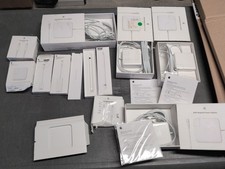
Lot Of Apple Cords And Accessories All OEM Genuine Apple Pencil, Magsafe Power
$109.99

OEM 45w T-Tip Power Adapter charger for Apple macbook air 2012-2017 A1436 A1466
$19.99
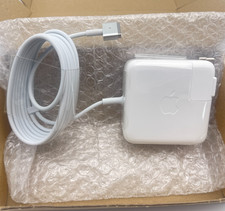
OEM 45W Charger For Apple MacBook Air 11-inch 13-inch Early 2012 2013 2014 2015
$26.98

OEM Apple 45W A1436 Power Charger AC Adapter for MacBook Air MagSafe 2
$12.99

OEM Genuine For Apple MacBook Air Magsafe 2 45W Power Adapter Charger A1436 NEW
$26.79

apple oem cube 5w charger
$6.99
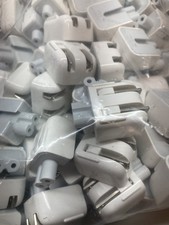
Genuine/OEM Apple Duckhead Two-Prong Plug - MagSafe AC Wall Adapter - Set of 25
$32.29



 Reply With Quote