

 Reply With Quote
--Edit /etc/motd (message of the day). Mine still sez 2-4-20xfs.
Originally Posted by lavaman094


When I login remotely via SSH, I see:
Welcome to Knoppix (Kernel 2.4.22-xfs)
I'd like to change the "Knoppix" to say, Antartica or something or my choice. I don't see Knoppix listed as the machine name in the ssh_config, and it's not my hostname either...how do I change this?
--Edit /etc/motd (message of the day). Mine still sez 2-4-20xfs.
Thanks!
 Posting Permissions


Intel Core i7-3770K 3.5 GHz Processor
$39.00

INTEL CORE I9-10940X X-SERIES PROCESSOR | 3.30GHZ | SRGSH
$179.99

Intel Core i5-4590T 2 GHz 5 GT/s LGA 1150 Desktop CPU Processor SR1S6
$10.99
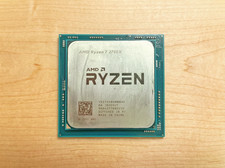
AMD Ryzen 7 2700X AM4 Processor- 3.7Ghz/4.3Ghz Boost, 8 Core/16 Thread
$125.00

Intel Xeon E3-1230 v3 SR153 3.3GHz Quad Core LGA 1150 CPU Processor
$14.49
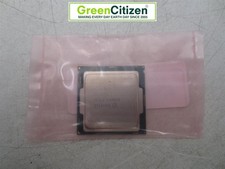
Intel Core i7-6700 SR2L2 3.40GHz 8 MB 4-Core LGA1151 Socket CPU Processor
$27.99

Intel Core i5-12500T SRL5W 2GHz 18MB 6 Core Socket LGA1700 Desktop CPU Processor
$114.99

AMD Ryzen 5 5600X Desktop Processor (3.7GHz, 6 Cores, AM4 CPU) 100-100000065
$135.00

Lenovo ThinkCentre M920s SFF Barebones PC Motherboard PSU DVD No CPU RAM SSD
$27.99

Intel Core Ultra 9 285K 3.70GHz 24 Core SRQD5 24 Thread LGA 1851
$435.00
