

 Reply With Quote
Try knoppix xvrefresh=60 screen=1024x768 and you may want to use the proper xmodule cheat code on the line as well.Originally Posted by Ryo_
Or is there something to tweak somewhere?


Hello.
I downloaded the latest Knoppix release (3.3 2003-09-24), and it runs fine.
But I have one issue: my monitor can do 1024x768, as the graphics card, but only in 87interlaced vertical refresh rate.
So I have to force 800x600 to see something for XFree, and still Knoppix during boot (and shutdown) uses 1024x768 with a bad refresh rate, thus everything appears 4 times and is pretty hard to read.
What parameters should i give at boot time to fix those issues?
Or is there something to tweak somewhere?
TIA!
Try knoppix xvrefresh=60 screen=1024x768 and you may want to use the proper xmodule cheat code on the line as well.
Or is there something to tweak somewhere?
Hum I tried vsync=60, no go.
I'll try xvrefresh next time.
The issue is that my monitor doesn't even do 60hz, it seems. Yes it's a crappy old one
I know it does 1026x768 with 87 interlaced mode. I remember some X windows parameter somewhere to tweak that.
Also, Knoppix itself, for its console, obviously uses 1024x768, even if you specify the screen resolution to be 800x600. Any way to fix that?
(and cheat codes don't help much, or i don't understand'em
How big is your monitor? (I would try to find all of the specifications for your monitor.) What is the 87 you are referring to, is that the horizontal scan rate in kHz??
I have had some old monitors that wouldn't run 1024x768 with knoppix but I could do an install and get them to run at 1024x768, so I ran them at 800x600 with knoppix and started with knoppix screen=800x600.
Also if your monitor won't run at xvrefresh=60 don't use 60 use another number for the 60, a value your monitor will run at.
CheatCodes can be a necessary part of knoppix.
~rock
87 hz is vertical refresh rate.
800x600 mode works fine, but 1024x768 requires 87hz interlaced vertical refresh mode.
Else the screen is real garbage
Currently under Knoppix, screen 800x600
But the console (at startup, or when hitting ctrl-alt-f1) is obviously still in 1024x768, thus i can't really read it...
And I'd prefer to work in 1024 under xfree, too
Thanks for the help in any case.
 Posting Permissions


Intel Core i5-12500T SRL5W 2GHz 18MB 6 Core Socket LGA1700 Desktop CPU Processor
$114.99

Intel Core i7-8700 3.2 GHz 8 GT/s LGA 1151 Desktop CPU Processor SR3QS
$67.99

Intel Core i5-4590T 2 GHz 5 GT/s LGA 1150 Desktop CPU Processor SR1S6
$10.99

INTEL CORE I9-10940X X-SERIES PROCESSOR | 3.30GHZ | SRGSH
$179.99

Intel SR3XE Core i5-8500 3.0GHz 9M Socket 1151 6-Core CPU Processor *Tested*
$32.99

Intel Core i7-3770K 3.5 GHz Processor
$39.00

Intel Core i7-7700K SR33A 4.20GHz 4-Core LGA1151 CPU Processor
$62.95

Intel Xeon E3-1230 v3 SR153 3.3GHz Quad Core LGA 1150 CPU Processor
$14.49

LAST BATCH *Brand New-Sealed* AMD Ryzen 9 9950X3D2 Dual Ed. 4.3GHz 16Core AM5
$768.00
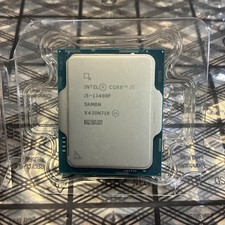
Intel Core i5-13400F 10 Core 16 Thread Processor SRMBN
$126.99