-
Senior Member
registered user
Shopping List (QYAWTABWATA)
Questions You Always Wanted To Ask But Were Affraid To Ask (in case you were wondering [giggle])
I am seriously "trying" to work at learning this new OS, far more than I had "ever" in "that other" OS... To the point that when I mucked up installing ALSA on my system, and everyone was pretty much saying "gut the system and re-install", I kept fighting to get the system back. In which case, I did, and without any casualties, I might add.
From what I know:
(1) You should always use apt-get for any install, unless, who knows why?
(2) Next would be to use dpkg if apt-get doesn't work, who knows why?
(3) Last ditch, manual source, compile, make, and install, who knows why?
The above kinda thinking is what got me in trouble with installing ALSA. I noted that ALSA drivers, utils, base, etc... existed in apt-get -=- so I did that - bad 
What I should have done was: download specific drivers from one place, download specific deb packages from two other places, compile source, make and install drivers, and the dpkg the deb packages manually. Why?
The hardest thing about Linux is, how do you know? When you apt-get something that screams "dependency issues", and then scrambles your system?
Worst of these things is the dreaded apt-get upgrade -=- where it says "keeping back..." and fifty things, or more, are in the list. After finally getting my ALSA working, I did an apt-get update, and then an apt-get upgrade, and it reported out of 339, only 230 were being upgraded, and 109 were being kept back... ( I am still doing this upgrade as I type, and I fear when it finishes, I am going to have a lot of stuff not working again.).
I am trying to make the best of all of this, but fear it is a loosing battle. I am determined to keep up-to-date on things installed, and what new stuff is out their, so I am frequently doing a apt-get update, then a apt-get upgrade, am I missing anything?
I think a lot of this is due to my sources list having "testing" and "experimental" package locations in it, probably a good reason for the breaking of many of my dependancies, but, where does one get this "unknown" information from? It's kind of like the ALSA issue, when I posted I tried to get ALSA from apt-get, "everyone" knew you had to get the drivers, where was "this" written? These people "can't" be born with this knowledge.
I guess the real problem is that I wasn't born a "Linux" person, unfortunately, I was born a "Windows" girl... I don't "know" these things. All I know is, you look/search for a program, download it, install it, and "maybe" Windows won't crash because of it. (maybe, but the bookey would put more odds on it crashing) Or, another common thing was to go through all of this, and your new program "stomps" all over your other "working" programs, which in many cases is worse than Windows crashing.
Windows is more like a "hit and miss" kind of thing; sometimes you get what you want, sometimes you don't, and sometimes you get worse. Linux on the other hand, is more like "hit hit and amazement", you get what you want, you get what you asked for, and your AMAZED it didn't scramble or break some dependancy somewhere. How does one "know" what to do, or how to do it? Is it some "unwritten" law somewhere?
Some of this problem can be attributed to Knoppix and its Live CD -=- thats it -=- thats the culprit Knoppix "lured" me into a false sense of warmth, a sense of being competent, and capable of "yea, I can do this!" - "Heck, couldn't be any worse than Windows!" - besides, its so pretty, so shinny, so new, so easy, so inviting, and it even "looks" (closely) like Windows, "How bad could it be?"
Heck, what is the real kicker is, I could never go back to Windows, I used Debian so much now, I forgot a lot of what Windows was like, how to do things in it, how to resolve some of its crashes, and I really "like" Linux, really, I do. It's just all the nuances of it, the "small" details of how to do this, when to do that, and why, stuff. The "unwritten" law stuff.
This is all kind of hard for a small town girl, where I had to order the "Kiss the blue screen of death goodbye" from the (local) book store - which is almost ten towns away from me, and the store keeper looked at me like I was ordering a "How to build a nuclear bomb" book, or something. "Linux? What's that?", it's an operating system, "Oh, so does it use Windows?" - this is the kind of people I deal with everyday, the kind of small town where rumors are more important than factual data. Where, I am sure, everyone in town thinks I am building a nuclear bomb in the basement now.
What does one do, when you out grow the "Blue Screen of Death" book, and still feel like you don't know what you are doing? Where all you know, is apt-get, and then sometimes, that isn't what your supposed to do?
Thanks to anyone for any answers,
Cuddles
-
Senior Member
registered user
Hi
Try using
Code:
apt-get dist-upgrade
instead of
I think you will have less problems with dependency's.
I also use KPackage to install other software that is not included on a distro. There is a search feature included. I will use keywords to find the type of software I am looking for and then install it.
I happen to really like the opera browser. I downloaded the static binary(includes all needed files)from their website. Then used KPackage to install it.
Most of us have had our hard times with any new os or distro for that matter. Linux is a huge field of knowledge that is constantly growing and evolving. Its kind of chicken and egg problem. It just takes some time. Very few people have their stars in proper alignment to be born into in a linux gurus house hold. 
What has been helpful for me is an older box that I use for experimenting. I dont care if I mess it up. It gives me some freedom to do things I wouldn't do on my primary box.
johnb
Similar Threads
-
Replies: 0
Last Post: 04-13-2005, 02:51 AM
-
By vdesibabu in forum Customising & Remastering
Replies: 0
Last Post: 01-05-2005, 05:47 PM
-
By Cuddles in forum Hdd Install / Debian / Apt
Replies: 10
Last Post: 07-13-2004, 11:57 AM
-
By Cuddles in forum General Support
Replies: 16
Last Post: 03-07-2004, 09:17 PM
-
By beforewisdom in forum Hdd Install / Debian / Apt
Replies: 5
Last Post: 08-24-2003, 05:38 PM
 Posting Permissions
- You may not post new threads
- You may not post replies
- You may not post attachments
- You may not edit your posts
-
Forum Rules

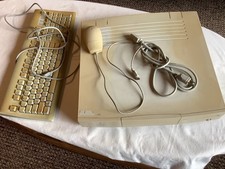
Vintage 1993 Apple Macintosh Centris 610 Computer w/keyboard & mouse, works
$130.00

2001 Apple iMac G3 600MHz DV M8492LL/A in Strawberry shell Vintage Mac OS PPC 9
$299.99
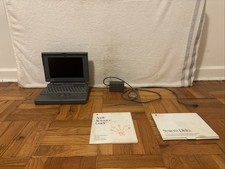
VTG Apple Macintosh PowerBook 160 Laptop M4550 w/ AC Adapter UNTESTED FOR PARTS
$69.99

VINTAGE Apple Mac OS X Computer Monitor
$250.00
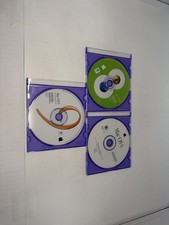
Apple Mac OS 8 Mac OS 8.5 Mac OS 9 Install CD Lot Vintage Macintosh
$49.99

Vintage Power Computing PowerCenter 132 Apple Macintosh Clone Computer Tower
$350.00

Vintage Apple Macintosh Computer Travel Bag Tote Shoulder Side Bag with Strap
$299.00
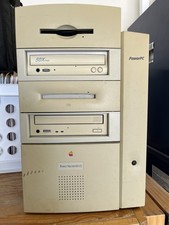
Vtg Apple Macintosh G3 PowerPC M4405 Desktop Computer, Powers On, Cords/Keyboard
$99.00
Vintage Apple Power Macintosh 7600/120 Desktop No HDD No OS Powers On *READ
$159.95

NEW Vintage Apple Mac OS X Version 10.1 Upgrade CD 2001 Factory Sealed Package
$29.95



 Reply With Quote