

 Reply With Quote
You can try booting with the expert cheat code and enter the specs for your video card and display manually. Also you can boot knoppix 2 and although you won't have Xwindows you could at least see if the cd will boot on your machine.


I get the "you passed an undefined mode number" error. I've tried fb800x600, knoppix nosmp vga=normal screen=800x600 xvrefresh=60 and I've tried knoppix-txt, and while those get past the error, after "uncompressing kernel..." my screen goes blank, and the cdrom keeps being hit.
My machine is a Micron Millennia Transport laptop.
edit: video is a Cirrus Logic GD7548
You can try booting with the expert cheat code and enter the specs for your video card and display manually. Also you can boot knoppix 2 and although you won't have Xwindows you could at least see if the cd will boot on your machine.
at startup:
knoppix xmodule=fbdev
Tried this, same error. I briefly see some multicolored text, and then the screen goes blank.Originally Posted by jtevermore
OK, when I use the "expert" code, it still says undefined mode number, but I skip it and get to this:
Video is GD754x (laptop) GD 7548, using XF86_SVGA(vesa) Server
Monitor is Generic Monitor, H:28.0-96.0kHz, V:50.0-62.0Hz
Using Modes "1024x768" "800x600" "640x480"
after I say yes to run XF86 config, I set it to supervga 800x600 for the monitor, the lowest refresh rates, choose my GD7548 for the card, choose vesa, and then I get strange lines and blurry shapes on screen.
same thing happens if I choose "no" to reconfiguring X11.
any more ideas?
I could not get a working X configuration for my laptop in 3.3, so I went back to Knoppix 3.2, since it works just fine.
I had the same problem with 3.2 before this
and seeing the same problems with 3.3....fuzzy and illegible display. Tried almost every cheat code I could find.
edraven, did you ever come to a solution?
I think you might be on the right track just wrong screen resolution.
try
try changing the resolution to a lower if necessary. This is what worked on my laptop.Code:knoppix xmodule=fbdev fb=1024x768
johnb
 Posting Permissions


Juniper EX2300-C 12 Port Compact Gigabit Switch EX2300-C-12p Discounted Cosmetic
$71.87

Juniper EX2300 12-Port Gigabit PoE+ Managed Network Switch P/N: EX2300-C-12P
$149.99

Juniper Network QFX5100-48S-AFO 48x SFP/SFP+ 6x 40GbE QSFP+ Switch w/ Dual power
$253.30

Juniper EX3400-24P 24-Port PoE+ GbE + 4-Port 1/10Gb SFP Switch
$245.00

Juniper EX4100-F-12P Switch 12x 1GbE PoE 2x 10GbE Uplinks 4x 10GbE Stack Ports
$900.00

Juniper EX2300-C-12P 12 Port Gigabit PoE+ 2x10G SFP+ Managed Compact Switch
$179.99
Juniper EX2300-C 12 Port Compact Gigabit Switch EX2300-C-12p
$89.99

NEW JUNIPER QFX5120-48Y-AFO-T 48x 10/25GbE SFP28 8x 40/100GbE Switch Dual AC PS
$12750.00

Juniper Networks EX2300-48P 48-Port Gigabit PoE Managed Ethernet Switch
$79.99
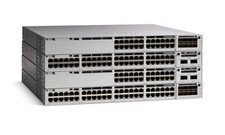
Juniper EX Series EX2300-C-12P - switch - 12 ports - managed
$311.95