

 Reply With Quote
Did you ever find a solution for this? I'm trying to do the same thing from a kingston ata pcmcia 5gb drive.


I have an IBM Thinkpad A31 with two hard drives. The Primary hard drive has Windows 2000 on it (work requirements) and the secondary hard drive (in one of the Ultra Slim bay) has Knoppix 3.3 installed on it. In the other Ultra Slim bay I can only have either a CD drive or a floppy drive. This Thinkpad does not support hot swap therefore if I use the floppy drive to boot from secondary hard drive (only which has lilo installed on it) I cannot use the CDRW drive. I would prefer to keep CDRW for obvious reasons. I do not want to install lilo on the primary hard drive either.
However, I do have a couple of PCMCIA flash cards with various capacities that I can use for booting.
Is there a way that I can transfer the boot files from Knoppix on the PCMCIA card and use that as my boot device as I would have used a floppy drive alternatively?
Did you ever find a solution for this? I'm trying to do the same thing from a kingston ata pcmcia 5gb drive.
Nope.
I tried different ideas with the flash card but nothing worked
1. Using
mkbootdisk --device /dev/hde <kernel-name>
The command transfered the bootable image to the flashcard but I couldn't make the Thinkpad's BIOS to recognize PCMCIA slot as a boot device.
2. I also tried the same flash card in a USB card reader. In this setup Thinkpad took a long time after the initial BIOS splashscreen raising my hopes that it might be trying to read the flash card as a boot device and then will try to boot off of /dev/hdb but after like 10-15 seconds it went to the default HD for boot killing my hopes.
3. I found another way round my problem by changing the BIOS settings and setting the aux HD as the primary drive so that the notebook will boot from it instead of the drive thats in the primary IDE slot. I don't know how safe is this frequent change of settings for the general well being of the flash memory where BIOS resides though.
I was also thinking of calling up IBM tech support, although a remote possibility, they may have another solution.
you may try my win32 grub patch which allows you to chain boot from the W2K/XP loader into GRUB that can boot whatever linux that is available on your system(hda, hdb ...).
Hmm, well I'm not sure if that would work for me. It's a long story why I need to do this, but basically what I need is to boot from a pcmcia ata hard drive. I can use floppies to facilitate the process, no problem there. The machines that I would use this on would not have an operating system on them. I'm trying to work out a symantec ghost replacement using either Partition Image (for linux) http://www.partimage.org/index.en.html or some other comparable program. The pcmcia disk would hold a drive image and the necessary software to load the machine. That's all I need it to do. (hope to do?)
Ah, I see. In that case, you may try spb-linux which can be booted from floppy and once you are in linux, you can have it load the proper PCMCIA drivers and goes from there to do the rest of the stuff you want. What I see your problem is that the BIOS has problem booting from PCMCIA device so having an alternative booting media(and a minimal linux) as a loader should meet the need.Originally Posted by jhrbek
 Posting Permissions


Western Digital HUS726T4TAL5204 4TB 7.2K SAS 12Gb/s 3.5" 512e HDD NetApp X375A
$64.00

DELL 2TB Enterprise HDD (7200RPM, 3.5", SATA III, 128MB Cache) HUS722T2TALA600
$49.95

Seagate ST8000NM0075 Enterprise Capacity 3.5 HDD 8TB SAS Hard Drive 8TB EXOS
$184.99

HDD 3.5" SATA Hard Drive with Windows 10/Win 11 64x Installed Legacy
$35.00

Dell ST6000NM0034 1HT27Z-150 NWCCG 6TB SAS 3.5 7.2K ENTERPRISE SERVER DRIVE
$68.99

Seagate ST3000NM0005 HDD 3TB SATA 6Gb/s 7.2K 3.5" 512 b/s
$59.00

HGST HUS724040ALA640 4TB 7200 RPM SATA 3.5" Internal Desktop Drive 100% Health
$78.00
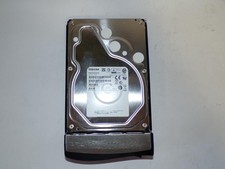
Toshiba MG03ACA400 4TB 7200 RPM SATA 6.0Gb/s 3.5" Enterprise HDD (V6313)
$69.95

HUS726060ALA640 HGST Ultrastar 6TB SATA 6Gbps 7.2K 3.5" Hard Drive OF21860
$129.99

Western Digital 1TB 3.5" SATA III 7200RPM Desktop Hard Drive
$34.99