


 Reply With Quote
Oh God, is it really that bad?


I'm pretty sure I made some horrible configuration error at some point while upgrading.
Symptoms are as follows:
Modem worked fine with pon and poff before upgrade
Modem works fine with SuSE 8.1
I've re-run pppconfig with no good result
The modem's lights just sort of fibrillate
There's a pile of stuff about trying to load isdn modules on start up (I have plain old diallup, no ISDN)
Any ideas welcolmed. I don't really have an idea as to what I ought to be looking for, let alone how to fix it. And I really don't want to re-install.
If anyone wants any details, just tell me.
Oh God, is it really that bad?
Yes it's really that bad ....
Sorry, I thought I posted last night...
If you aren't using isdn and don't plan on using isdn in the near future why not remove all isdn packages?
do a:
dpkg -l | grep isdn
and apt-get remove --purge
the isdn packages.
What must have happened in your upgrade is a new package was allowed to use its new config file instead of using the old ones on your system (just my guess)
FYI: I use wvdial for my dialup it works better than anything else I've tried
HTH
~rock
Thanks Rock -- I'll try that and see what happens.
Any ideas what I actually need to run a straightforward diallup? Have pon and poff (which I rather like now I've iconised them) but do I need anything else?
OK, I purged everything with ISDN on it and now the error messages have stopped. But I still can't pon and poff.
Anyone any ideas as to what debs underly the dialup connection process? pppd does run, but dies after no connection is made. The modem still fibrilates. What config files should I be looking at?
it should be in the following packages:
ppp and pppconfig
run plog as root and see what it gives as output
~rock
Here we go (not all that revealing, to me, at any rate):
root@molehole:/home/john# plog
Oct 24 19:40:41 molehole chat[626]: -- got it
Oct 24 19:40:41 molehole chat[626]: send (ATDT179^M)
Oct 24 19:40:41 molehole chat[626]: expect (CONNECT)
Oct 24 19:40:41 molehole chat[626]: ^M
Oct 24 19:40:41 molehole chat[626]: warning: read() on stdin returned 0
Oct 24 19:40:41 molehole chat[626]: Failed
Oct 24 19:40:42 molehole pppd[625]: Connect script failed
Oct 24 19:40:43 molehole pppd[625]: Exit.
But you should see the problems I'm having with a fresh install of SuSE 8.2!
I'll be away for a bit so please don't interpret a lack of reply as ignorance!
 Posting Permissions


USB Type-A Flash Drive Metal Memory Stick High Speed USB Drive 128GB 256GB 512GB
$8.47

Critical BIOS ROM HPE ProLiant DL160 DL180 Gen9 (U20) U20_3.40_08_29_2024+iLO4
$7.99

Critical BIOS ROM HPE ProLiant BL460cWS46 Gen9 (I36) I36_3.40_08_29_2024+iLO4
$7.99

Critical BIOS ROM HPE ProLiant DL560 Gen9 (P85) P85_3.40_08_29_2024+iLO4
$7.99
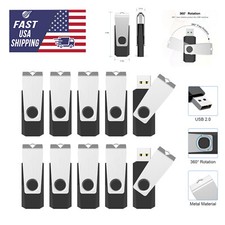
USB 2.0 Flash Drive 16GB 32GB 64GB 128GB Thumb Memory Stick Multi Pack Bulk Lot
$1082.99

Microsoft Windows 11 Pro 64-Bit USB Flash Drive Sealed with Product Key Card
$39.99

Microsoft Windows 11 Pro 64bit - New Sealed – Flash USB 1 PC
$49.99

1/ 10/ 100pcs USB 2.0 2GB, 4GB ,8GB ,16GB ,32GB ,64GB 128GB USB Flash Drives Lot
$269.10
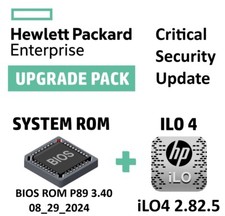
Critical BIOS ROM HPE ProLiant DL580 Gen9 (U17) U17_3.40_08_29_2024+iLO4
$7.99

Zero Trace Pen: All-in-one Tor Network Anonymous Drive + Cryptocurrency Wallet
$147.00