-
Hi,
I have done a HD install of Knoppix on an old Sharp PC-9820-T notebook. When I run Knoppix from the CD, my video configuration is perfect (specifically 1024x768 dpi). However, when I boot from the HDD, I find I have an awful, blocky 640x420 resolution.
I tried running the kXConfig tool and changing the screen resolution to 1024x768. This did nothing until I also changed the Virtual Desktop setting. Then I found my X screen was scrambled after restarting.
I rebooted from the CD and tried the advice given earlier in this thread - copying /etc/X11/XF86Config-4 over the top of /hda1/etc/X11/XF86Config-4.
While I was there (booted from the CD), I took a look at the KXConfig settings. Mysteriously, the screen configuration there was specified as 640x480, though I know that the this was not the resolution being used (based on what I saw and the Info Center. This particular notebook has an awful blocky display in 640x480 and a very smooth, attractive display in 1024 x 768. When booting from the CD, I get the latter.
Anyway, after rebooting from the HD, at least I don't have a scrambled display, however, I'm back to the awful, blocky 640x480 mode.
How do I find out what display resolution settings are being used in CD-boot mode and then transfer those settings to my HD boot configuration?
Cheers,
Similar Threads
-
By rehorne in forum Hardware & Booting
Replies: 1
Last Post: 03-13-2004, 09:41 AM
-
By jeanthibca in forum Laptops
Replies: 0
Last Post: 02-23-2004, 02:33 PM
-
By DragonDon in forum General Support
Replies: 1
Last Post: 01-09-2004, 02:10 PM
-
By Zibar in forum General Support
Replies: 4
Last Post: 06-20-2003, 08:04 PM
-
By bateto_007 in forum General Support
Replies: 8
Last Post: 04-23-2003, 06:02 PM
 Posting Permissions
- You may not post new threads
- You may not post replies
- You may not post attachments
- You may not edit your posts
-
Forum Rules


RAM-HOL-SAM60CPU RAM USB-C Powered Dock for Samsung Tab Active5 - 3 - 2
$81.99
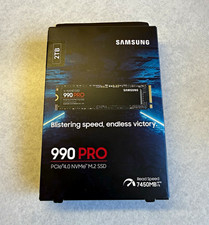
Samsung 990 PRO 2TB M.2 NVMe PCIe 4.0 Internal SSD (MZ-V9P2T0B/AM)
$249.00

Samsung 2.5" 870 EVO SSD SATA III 250GB 500GB 1TB Internet Solid State Drive Lot
$60.00

New Samsung 512GB FIT Plus USB 3.2 Gen 1 Type-A Flash Drive MUF-512AB/AM NEW
$120.00

RAM-HOL-SAM52CPU RAM USB-C Powered Dock Samsung Tab Active4 Pro & Tab Active Pro
$81.99

RAM-GDS-SKIN-SAM54-NG-1 RAM Mounts IntelliSkin® Next Gen for Samsung Tab Active4
$93.99

RAM-GDS-DOCK-SAM88CPU RAM GDS® Tough-Dock™ for Samsung Tab A9+
$174.99

Samsung SCXSTP000, SCX-STP000 (Swingline Staple Cartridge - 3 Refills)
$57.99

NEW Samsung NoteBook NT930QCG touch LCD Full Screen Assembly Blue
$225.77

Samsung 24" S3 Essential IPS 100Hz Monitor | Sealed | Fast shipping
$50.00



 Reply With Quote