-
Doing things from the virtual terminal on the X screen
I think I may have figured out how to do things from the virtual terminals to affect the X screen.
The vt for X is 6 so we can do:
chvt 6 to switch to the virtual terminal 6
Next we need to have a little delay, so let's add sleep 4 (you can also use 2 if you think that's a bit faster)
We also need to add "export DISPLAY=:0" to set the X display.
Then to change the user, we use "sudo -u knoppix "
So to do xrandr and change the resolution: (this is pretty useful when you mess around with screen resolutions that cause a blank screen)
Hit CTRL+ALT+F4 to switch to VT 4: then type
chvt 6; sleep 4; export DISPLAY=:0; sudo -u knoppix xrandr
chvt 6; sleep 4; export DISPLAY=:0; sudo -u knoppix xrandr --output HDMI-1 --mode 800x600
To launch terminator:
chvt 6; sleep 4; export DISPLAY=:0; sudo -u knoppix terminator &
To open the main menu:
chvt 6; sleep 4; export DISPLAY=:0; sudo -u knoppix lxpanelctl menu
 Posting Permissions
- You may not post new threads
- You may not post replies
- You may not post attachments
- You may not edit your posts
-
Forum Rules


OEM Genuine 86WH 69KF2 Battery For Dell XPS 15 9500 Precision 5550 M59JH M15 M17
$45.49

OEM 68Wh 3HWPP Battery For Dell Latitude 5401 5501 5410 5510 E5411 E5511
$28.99
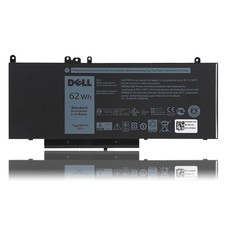
OEM Genuine 62WH 6MT4T Battery For Dell Latitude E5470 E5570 6MT4T 07V69Y 7V69Y
$36.66
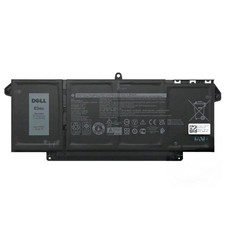
Genuine OEM 63Wh 7FMXV Battery For Dell Latitude 5320 7320 7420 7520 4M1JN TN2GY
$32.99

OEM Genuine 42Wh WDX0R For DELL Inspiron WDXOR Battery 15 5567 5568 13 5368 7368
$22.99

OEM 68Wh 3HWPP Battery For Dell Latitude 5401 5411 15 5501 5511 Precision 3541
$35.78
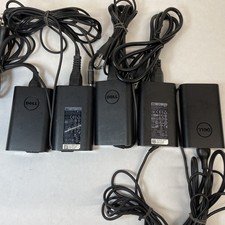
Lot of 5 Dell OEM 65W 7.4mm 19.5V 3.34A AC Adapters Mixed Models B Grade
$39.99
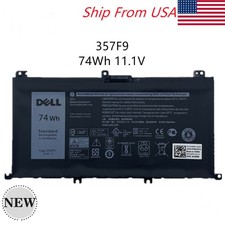
OEM 74WH 357F9 Battery For Dell Inspiron 15 7559 i7559 7557 i7557 5577 7567 5576
$26.99
OEM Genuine 95WH PKWVM C903V Battery 7550 For Dell Precision CR72X 17C06 447VR
$37.40
OEM 97Wh NYFJH Battery For Dell Precision 7530 7540 7730 7740 P74F P34E Series
$30.99



 Reply With Quote