-
Ctrl Alt T to startup terminator
I'm so used to hitting CTRL+ALT+t to start up a terminal, here's how to do it in knoppix 9.1.
Go to Preferences/CompizConfig Settings Manager then click on General / Commands, set command line 1 to "terminator" (don't type the quotes) then go to Key Bindings and set "Run command 1" to Control Alt t by clicking on the "disable button" (because it's disabled by default) and then click on "grab key combination" and type Control Alt t and then click on OK.
Now Control Alt t should load terminator.
 Posting Permissions
- You may not post new threads
- You may not post replies
- You may not post attachments
- You may not edit your posts
-
Forum Rules


AMD Ryzen 5 5500 Processor ( read Description)
$59.00
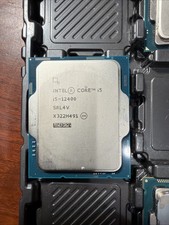
Intel Core i5-12400 Processor SRL4V
$115.00

INTEL CORE I9-10940X X-SERIES PROCESSOR | 3.30GHZ | SRGSH
$179.99
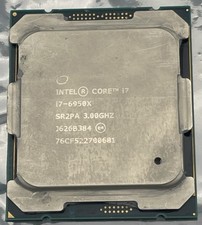
Intel Core i7-6950X Extreme Edition 3.0GHz Processor SR2PA LGA2011 10 Core CPU
$162.95

Intel Core i7-9700 Octa-Core 3 GHz Desktop Processor LGA 1151
$79.99

Intel Core i5-12500T SRL5W 2GHz 18MB 6 Core Socket LGA1700 Desktop CPU Processor
$114.99

Intel Core i7-3770K 3.5 GHz Processor
$39.00

Intel i7-8700 Coffee Lake 3.2GHz 6-Core Max Turbo 4.6GHz Processor
$67.99
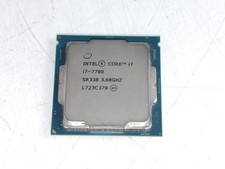
Intel Core i7-7700 3.6 GHz 8 GT/s LGA 1151 Desktop CPU Processor SR338
$39.99

Intel Core i7-4770 3.40GHz Quad Core SR149 LGA 1150 CPU Processor tested
$35.00



 Reply With Quote