-
Senior Member
registered user
OK, I tried X -query localhost :1 from vt2 and EDIT: got the login screen right away on vt8 (on my knoppix-installer as debian server)! Hurray!!
From a client PC (knoppix-installer as debian), if try X -broadcast :1 from vt2, then I get the login screen on vt8. EDIT: The only problem is that it doesn't come up in vt8 until I change to a vt other that 2 or 8 first. Otherwise it just sits there forever with a dark screen in vt2. Why must I play this game or why does it take so long? Can I do something about that?
NB:
(1) If you try this on an knoppix-installed as debian client, please note that vt7 is the local terminal and vt8 with be the remote terminal and vt>8 are undefined (as was 8 before the X -query).
(2)If you try this on an knoppix-installed as knoppix client instead, vt5 is local, vt6 is remote and vt>6 are undefined (as was 6 before the X -query).
(3)If you try this on alive CD, you need the knoppix 2 boot string. When you get the command line on vt1, you issue the X -broadcast command and you get a remote login terminal on vt5. BTW, with knoppix 2, as you are in textmode, you don't need the :1 at all.
TIA,
-
Senior Member
registered user
************************************************** **
All right, here's what worked for me based on HORO's work - THANX!
************************************************** **
SETUP Server (knoppix-installed as debian)
1. In a root console edit with kwrite the file /etc/kde3/kdm/Xaccess changing #* #any host... to * #any host...
2. In a root console edit with kwrite the file /etc/kde3/kdm/kdmrc changing Enable=false to Enable=true under [Xdmcp]
3. In a root console edit with kwrite the file /etc/hosts adding the client ips
4. In a root console enter the command line /etc/init.d/kdm restart
TEST Server (knoppix-installed as debian)
In vt2 issue the command line X -query localhost :1 and you should get the kdm login window for this server right away on vt8 (as opposed to the local login window on vt7).
TEST ClientA (knoppix-installed as debian)
In vt2 issue the command line X -query ipofserver :1 or X -broadcast :1 and you should get the kdm login window for the server in vt8 (as opposed to the local login window on vt7). This process may hang unless you change vt's a few times.... WHY???
TEST ClientB (knoppix-installed as knoppix)
In vt2 issue the command line: X -query ipofserver :1 or X -broadcast :1 and you will get the kdm login window for the server in vt6 (as opposed to the local login window on vt5). This process may hang unless you change vt's a few times.... WHY???
TEST ClientC (liveCD)
After booting with the knoppix 2 cheatcode, issue the command line X -query ipofserver or X -broadcast and you will get the kdm login window for the server in vt5 (there is no local login window as we booted into textmode on vt1). On the liveCD, I get the login screen right away!
I haven't tested this, but if you set-up more than one server as described above, X -broadcast may not work. Do you need to use X -chooser and enable that in /etc/kde3/kdm/Xaccess?
Regards,
Similar Threads
-
By Chinmay in forum Hardware & Booting
Replies: 2
Last Post: 02-18-2005, 01:04 AM
-
By Kethinov in forum Hdd Install / Debian / Apt
Replies: 4
Last Post: 12-21-2003, 10:23 PM
-
By A. Jorge Garcia in forum Networking
Replies: 0
Last Post: 12-16-2003, 12:50 AM
-
By sireasoning in forum General Support
Replies: 11
Last Post: 12-11-2003, 03:08 AM
-
By hugge in forum Hardware & Booting
Replies: 11
Last Post: 04-02-2003, 04:12 PM
 Posting Permissions
- You may not post new threads
- You may not post replies
- You may not post attachments
- You may not edit your posts
-
Forum Rules


1x64GB Hynix HMAA8GL7MMR4N DDR4 PC4 2133P-LE0-11 4Rx4 ECC LRDIMM Server RAM
$320.00
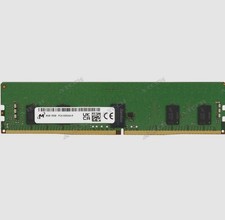
Micron 8GB DDR4 3200MHz PC4-3200AA ECC RDIMM RAM (MTA9ASF1G72PZ-3G2E2
$30.00

Microsoft Office 2021 Pro Plus USB for 1PC Windows 10 & 11
$62.55

Dell 16GB PC4-21300 (DDR4-2666) Memory (SNPPWR5TC16G)
$89.99

Kingston 32GB 64GB 128GB 256GB USB 3.0 Flash Drive Thumb Memory Stick Pen lot
$285.90

USB 3.0 Flash Drive 32GB 64GB 128GB Memory Stick Thumb Stick Lot Pack
$826.09
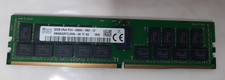
SK Hynix 32GB(1x32GB) 2RX4 PC4-2666V-R DDR4 ECC Memory RDIMM HMA84GR7CJR4N-VK
$200.00
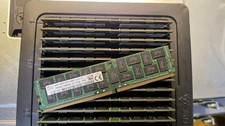
1x64GB Hynix HMAA8GL7MMR4N DDR4 PC4 2400T-LE0-11 4Rx4 ECC LRDIMM Server RAM
$340.00

SMART(Micron)SafeStor 32GB(1X32GB) 1RX4 NN4-3200AA(DDR4) HPE Server Memory
$159.98

24x Micron MT40A512M16LY-062E IT:E 8Gb DDR4-3200 96-FBGA Memory IC
$349.99



 Reply With Quote