

 Reply With Quote
Try it as root.
sudo passwd knoppix
Then enter the new password for the user knoppix twice.


I am really new here. I have a Windows install that has screwed up from a HD problem. I am booting the latest Knoppix release in hope of starting an FTP server to transfer a bunch files over the lan. I have followed the directions from other posts, as well as in the Docs, but I have a problem in the first step. It says to change the Knoppix password. I went to a shell and typed "passwd knoppix". It then gives a line that asks for "(current) Unix password:". What do I type there? Everything I have put in so far has resulted in "passwd: Authentication failure."
Thanks,
Collin
Happy Thanksgiving to those in celebration!
Try it as root.
sudo passwd knoppix
Then enter the new password for the user knoppix twice.
That did it. Thank you very much! I got everything transferred quite easily besides that little hiccup.
 Posting Permissions


NETGEAR ProSafe 5-port Gigabit Switch GS105v5
$9.99

Cisco Catalyst 2960-48TT-L 48-Port Fast Ethernet Managed Rackmount Switch
$46.99

TP-Link 5-Port Gigabit Unmanaged Ethernet Switch Network Expansion TL-SG105
$19.95

5Ports Gigabit Network Switch w/ 4 PoE+ Ports Total 52W each port 30W Plug&Play
$31.99

TP-Link TL-SG2210P 10-Port Gigabit Smart Switch w/ 8-Port PoE+ NO AC SKU 25597
$39.99
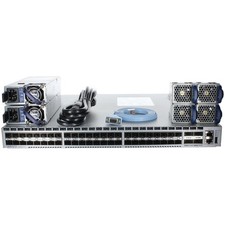
Arista DCS-7050SX-64-R 48P 10GbE SFP+ 4P 40GbE QSFP+ RA Switch
$125.00

TP-Link TL-SG105 5-Port Gigabit Ethernet Unmanaged Metal Desktop Network Switch
$22.49

Linksys 8-Port Managed Gigabit PoE+ Switch 110W w/ 2 Uplink Gigabit - LGS310MPC
$49.00

NETGEAR 5-Port Gigabit Ethernet Unmanaged Switch (Gs305) - Desktop Quiet Fanless
$22.00

10-Port Gigabit PoE Network Switch with 8 PoE+ Ports with 2 Combo SFP Slots 125W
$39.99